Stake KAVA using Cosmostation
We love the Cosmos ecosystem and show our support by running validators for multiple chains including Babylon, Band, Bitway, Cosmos Hub, Elys, Fetch, Intento, Kava, Osmosis, Seda, Story Protocol, Symphony, while also serving as a governor for Stride.
If you like to generate passive income from your crypto and are looking for yield, Kava is a great option. The lending and borrowing platform boasts native USDT borrowing, bitcoin lending and borrowing and many other benefits.
The KAVA token powers it all and staking KAVA also offers an attractive yield. As of this writing the KAVA staking APY is over 7%, but that changes with network activity and validator performance. The yield is relatively safe though because inflation was dropped to zero in early 2024. The KAVA staking yield comes from network fees and people are using the network.
At Atlas Staking we are one of the genesis validators and have been with Kava from the beginning. We believe in the project and the long-term wealth accumulation that can come from staking KAVA tokens and we can auto-compound your rewards using REstake.
You can stake KAVA from Trust wallet and others, but we prefer the functionality that comes with Cosmos-native wallets, like Keplr, Leap and Cosmostation.
In this step-by-step KAVA staking guide we will show you how to stake KAVA tokens from Cosmostation extension and the Cosmostation mobile app.
So, Let’s F@ckin Go (LFG)!
COSMOS AIRDROPS
New projects and protocols give away tokens to attract users. Crypto rewards those who participate, so register today and collect your free crypto.
You’ll receive PROJECT DETAILS, TOKEN SYMBOL, SNAPSHOT DATES, ELIGIBILITY REQUIREMENTS, LINKS TO CLAIM AND LINKS TO STAKE.
Be sure to add info@atlasstaking.com to your contacts, so our email doesn’t go into your spam folder. You don’t want to miss out!
We will NEVER share or abuse your information
Staking KAVA using Cosmostation mobile wallet
The Cosmostation extension User Experience is not great, so we encourage you to use their mobile wallet instead. For you convenience, we’ve provided download links below.
KEY TAKEAWAYS
1. Open the Cosmostation app and enter your PIN
2. Tap into your KAVA position
3. Tap the galaxy earn icon
4. Tap “Stake”
5. Tap “Stake” again on the next screen
6. Cosmostation presents their validator first. Tap on “Cosmostation” or the validator name to access the list of validators
7. Either type “Atlas Staking” in the search box or scroll down the list of validators to find us
8. Tap “Atlas Staking”
9. Enter the number of KAVA tokens you would like to stake and then tap “Stake”
10. Click “Confirm”
11. Click “Confirm” again on the next screen
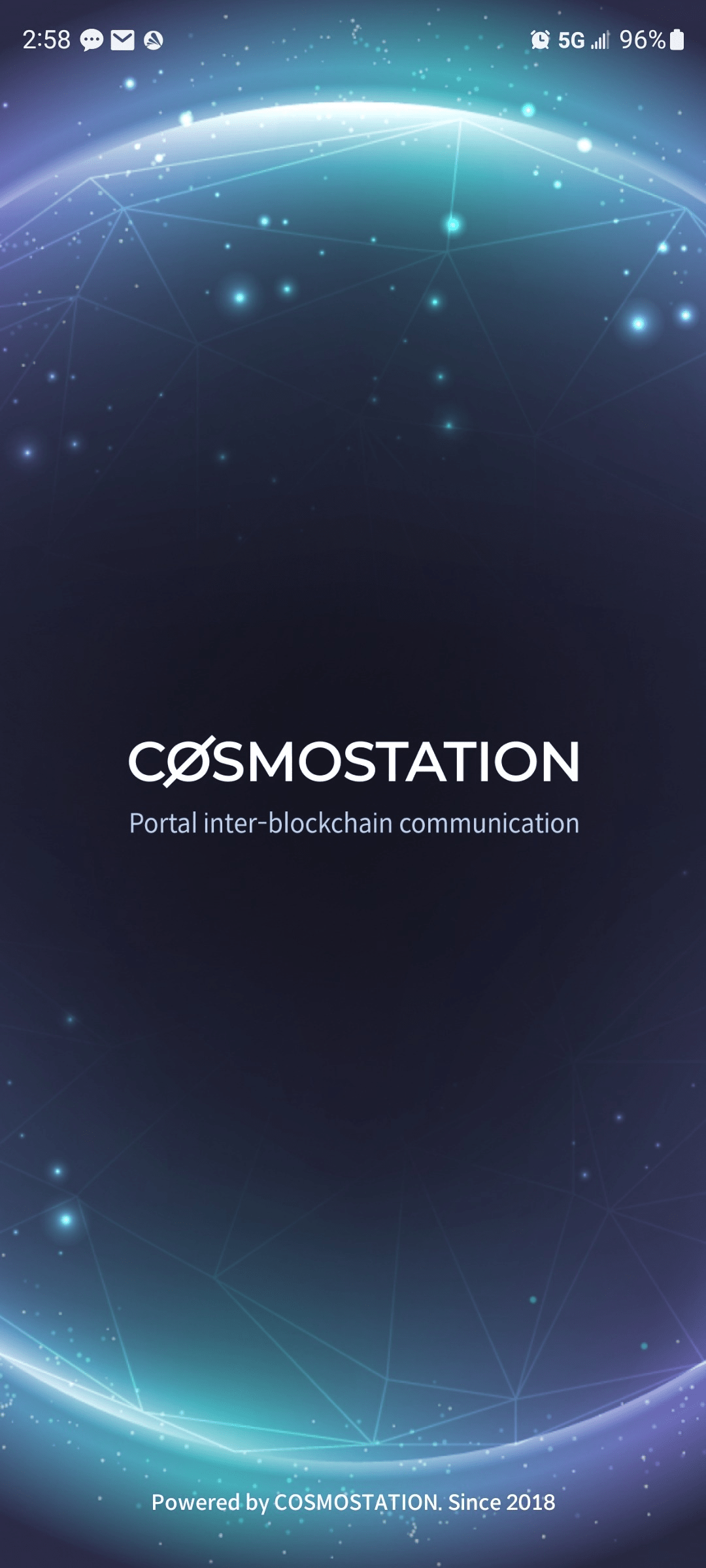
1. Open the Cosmostation app and enter your PIN
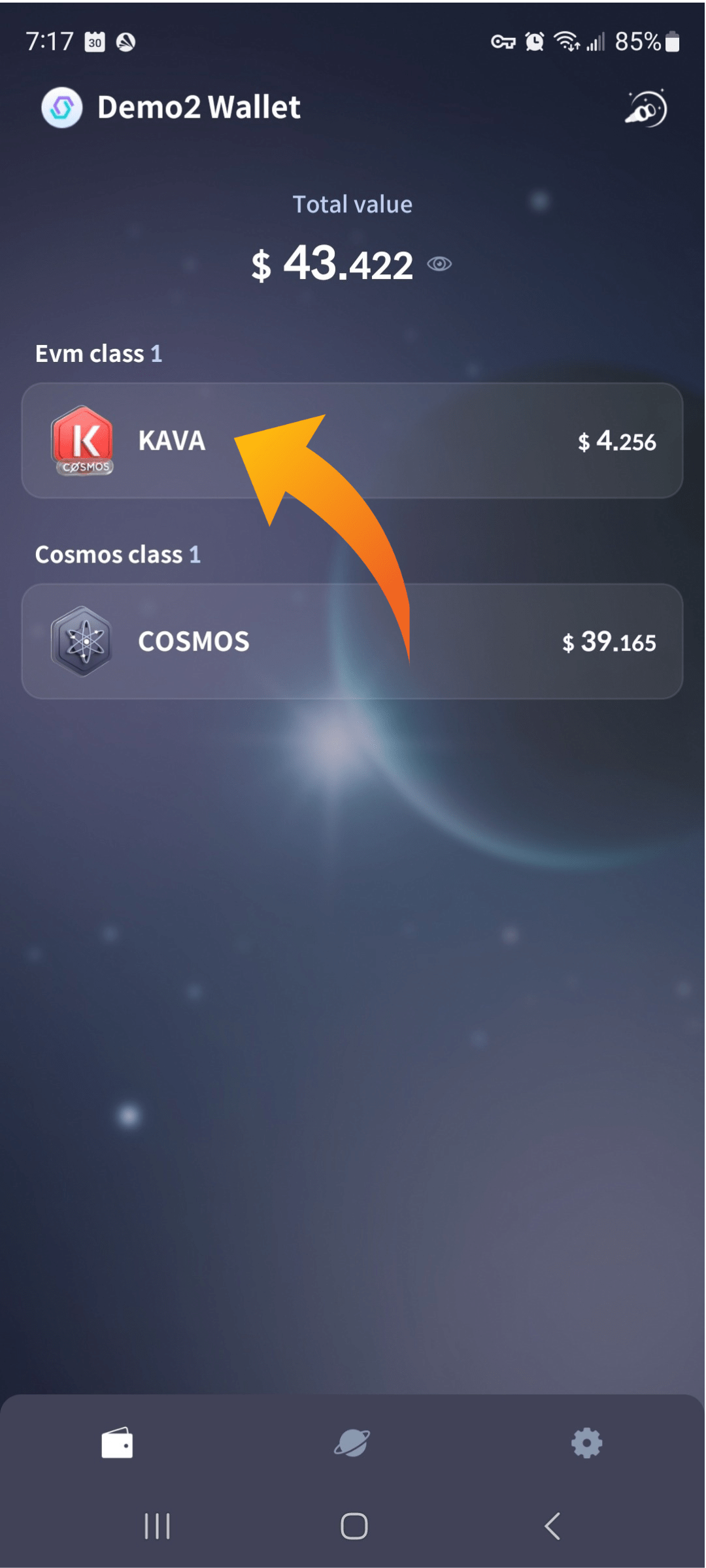
2. Tap KAVA from your wallet home screen
3. Tap the galaxy “Earn” button
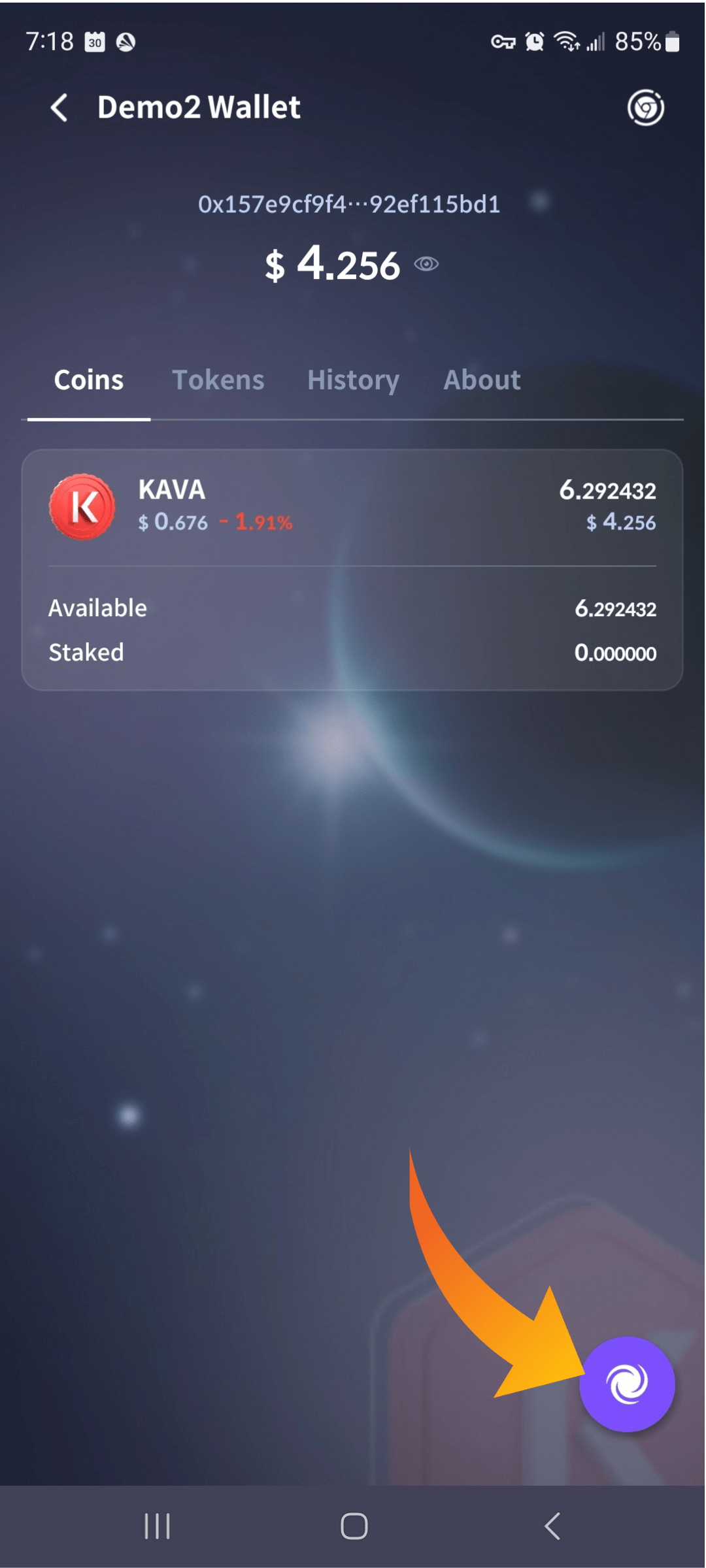
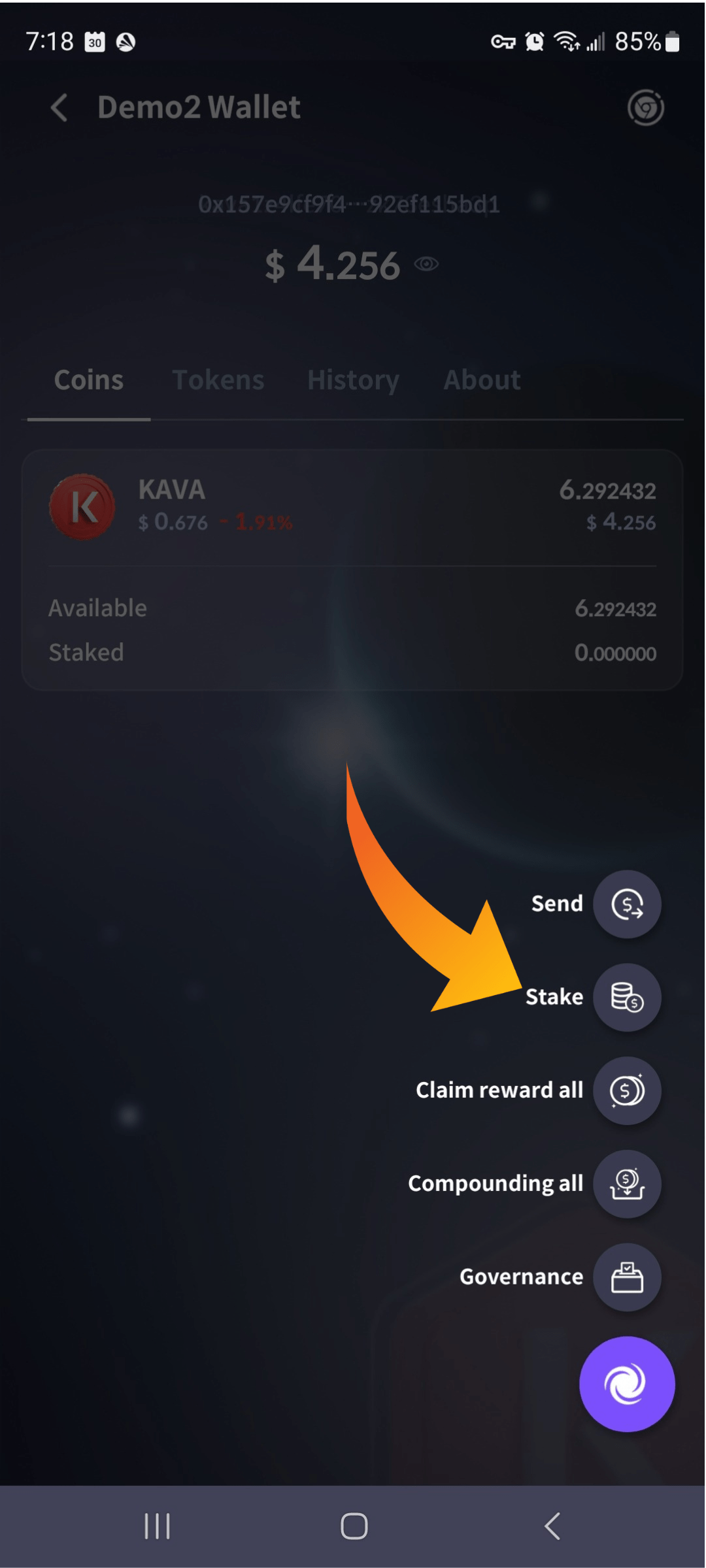
4. Tap “Stake” on the next menu
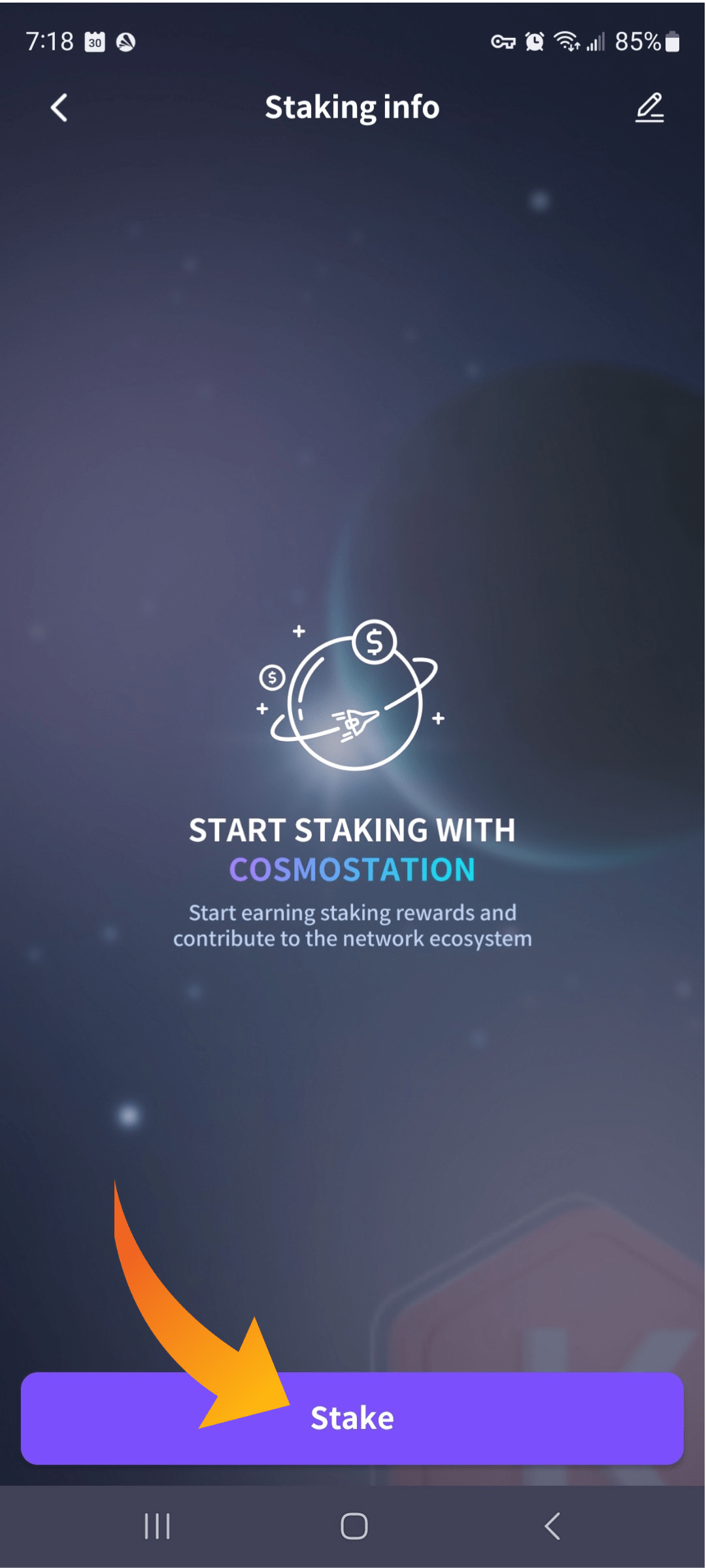
5. Tap on the “Stake” button again
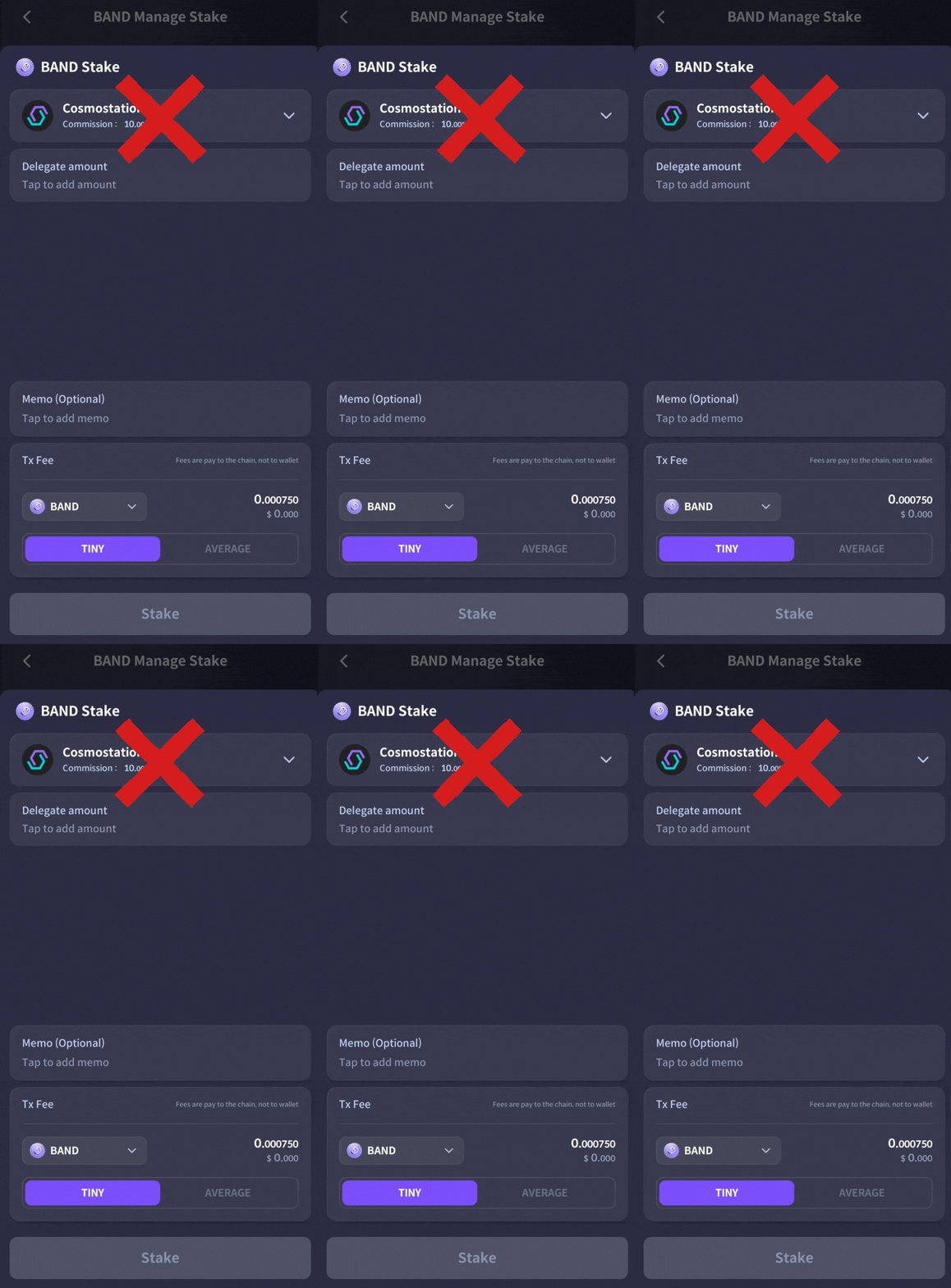
DO NOT STAKE WITH WALLET PROVIDER VALIDATORS
6. Tap the dropdown arrow to open the validator list
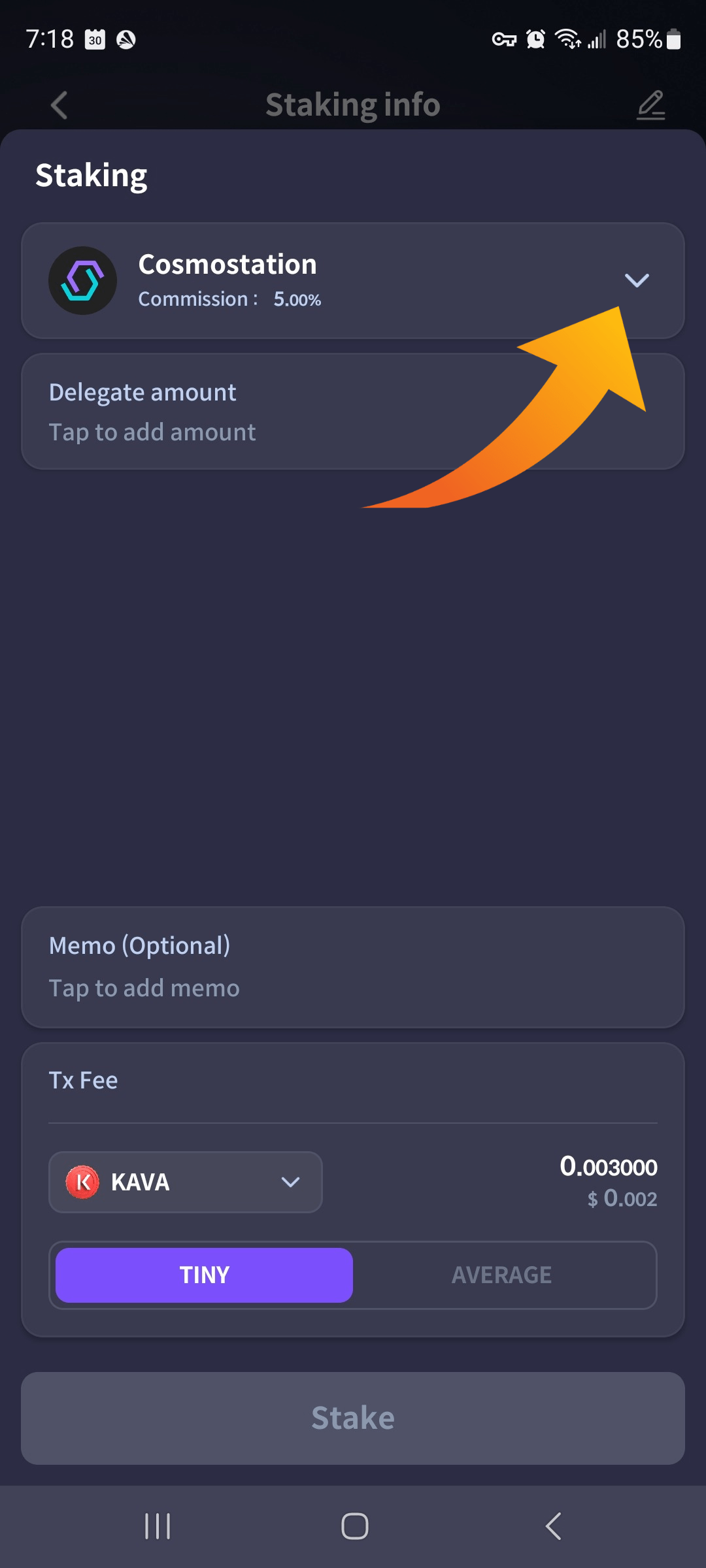
7, Type “Atlas Staking” in the search box or scroll down the list to find us.
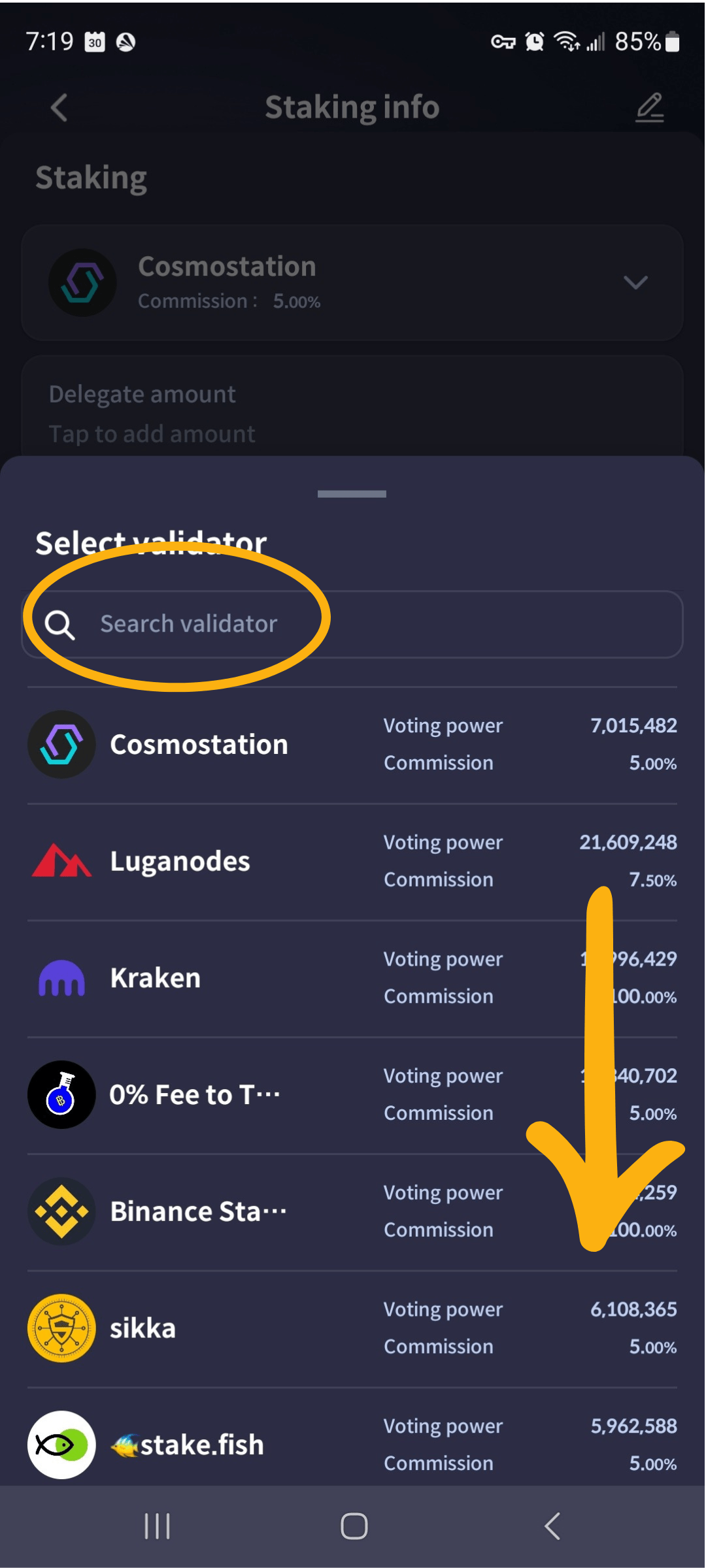
8. Tap on “Atlas Staking” to select us
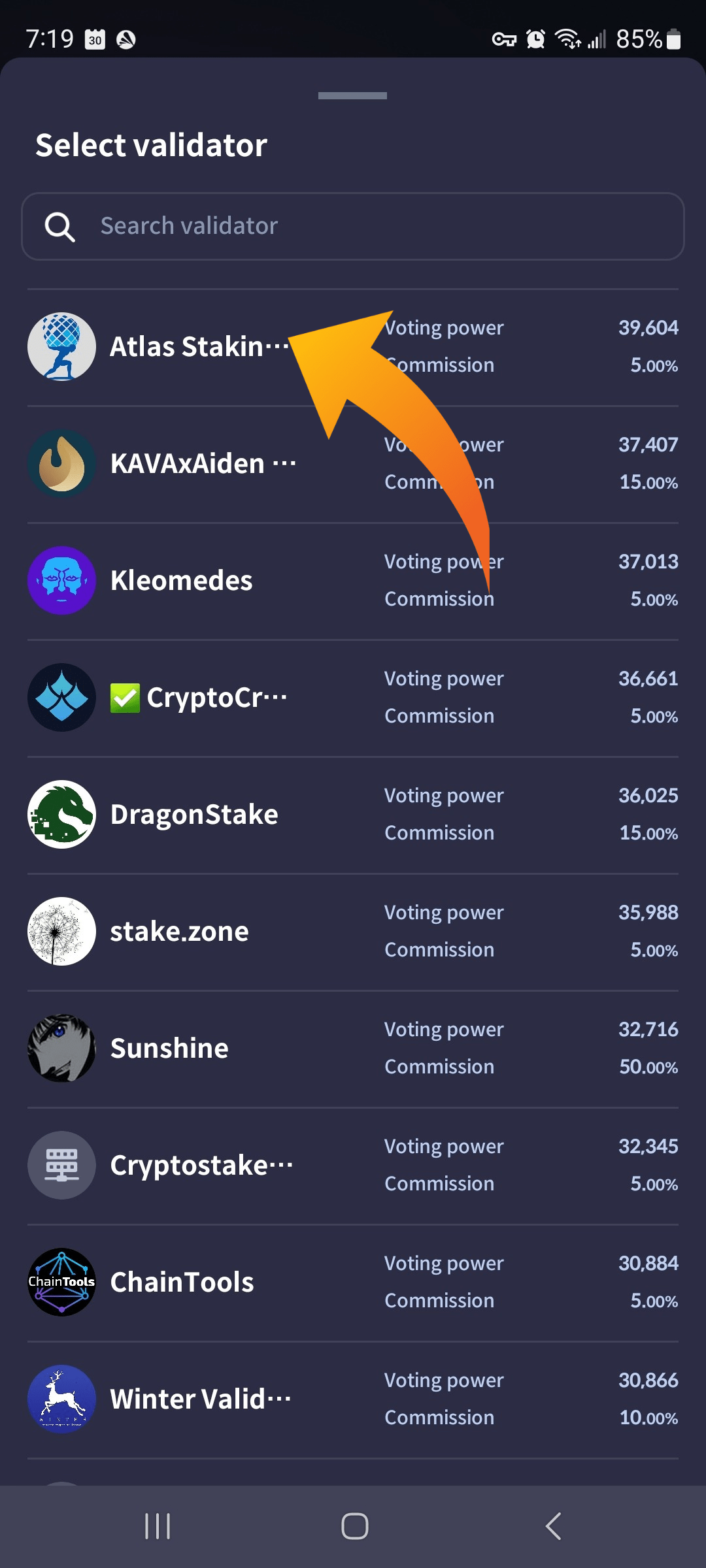
9. Enter the number of BAND tokens you want to stake and then tap “Stake.”
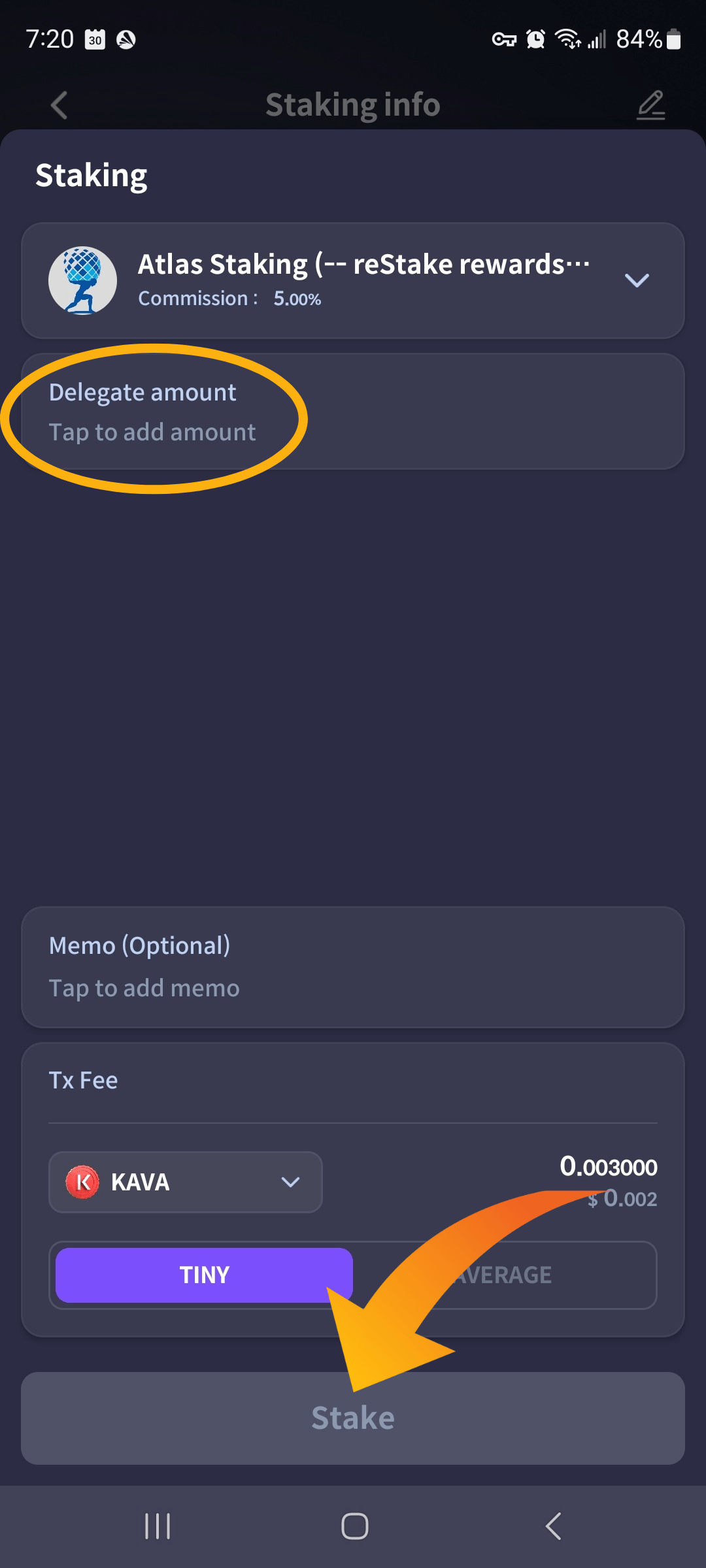
10. Verify the details to make sure they are accurate and then click “Confirm.”
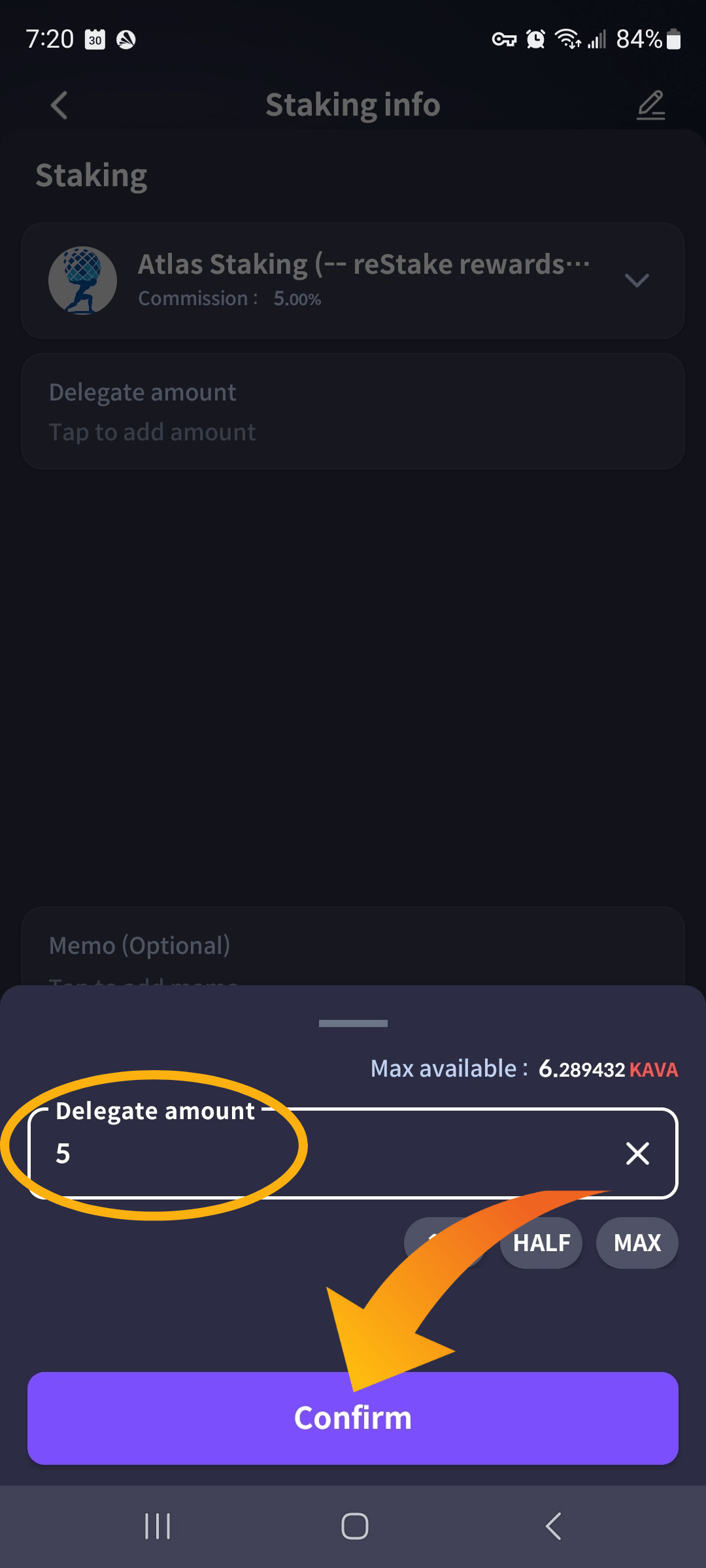
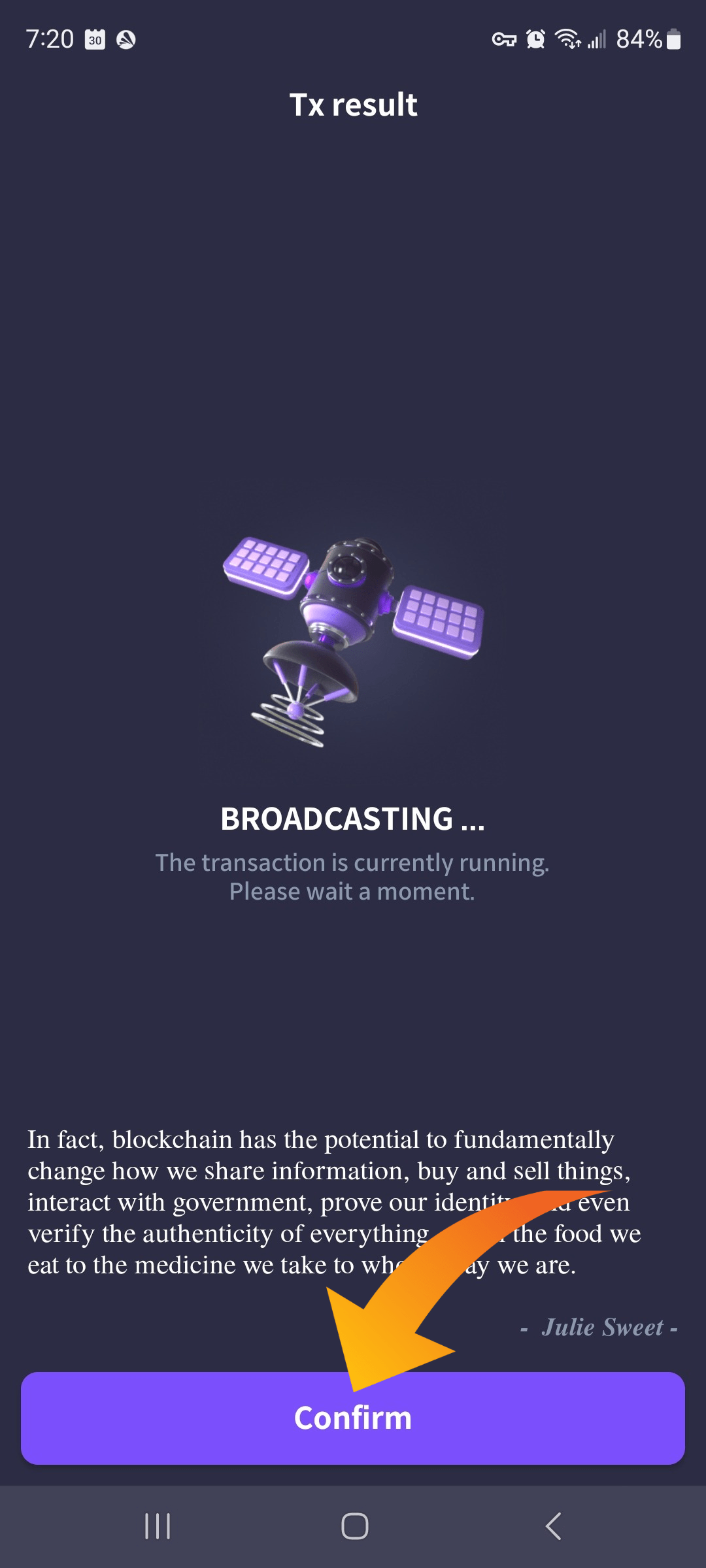
11. Click “Confirm” again on the next screen to broadcast the transaction
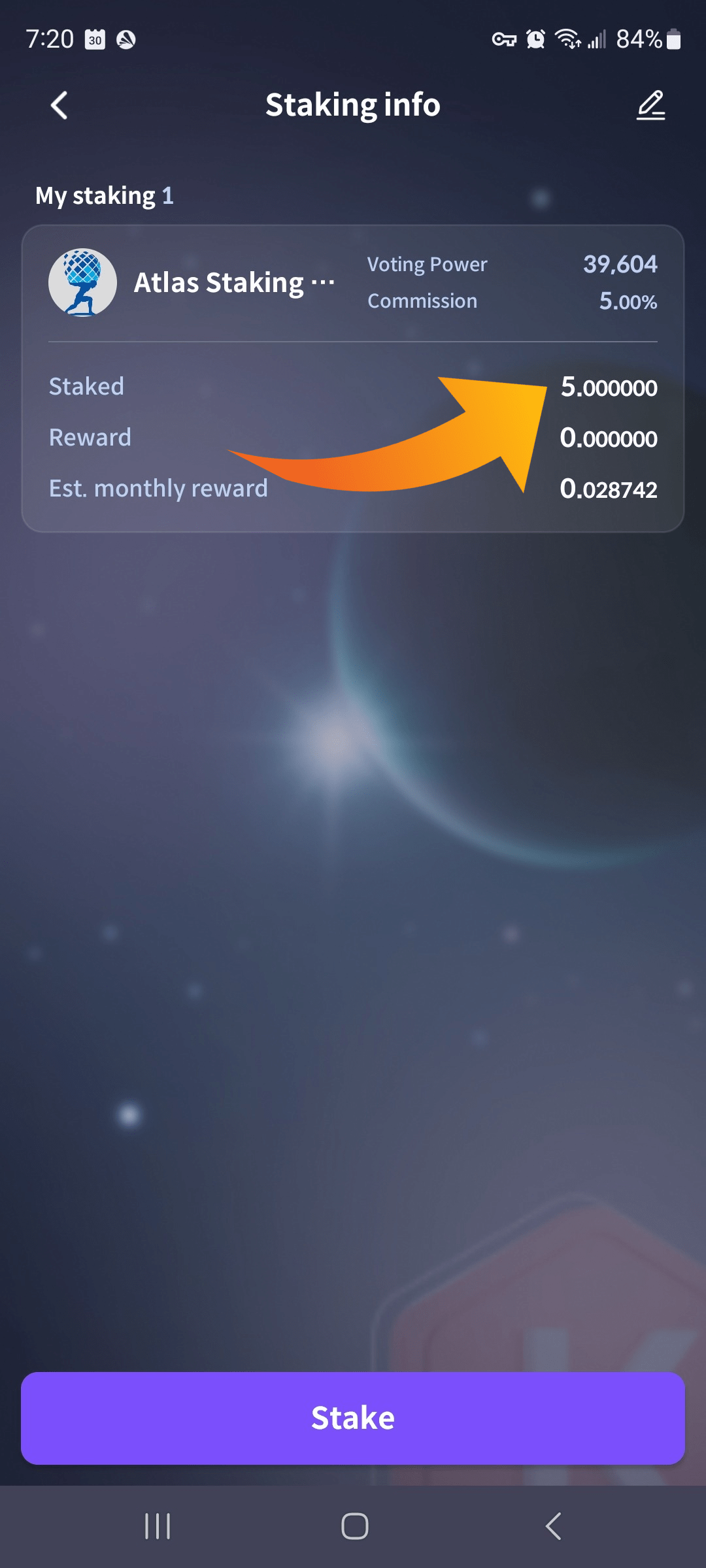
Your KAVA tokens are now staked!
Staking KAVA using Cosmostation extension wallet
Cosmostation extension is poorly designed for crypto newbies, but has been there from the Cosmos beginning. You use it by connecting to the Mintscan block explorer. The mobile version is much simpler to use than the browser extension, but we will show you both.
KEY TAKEAWAYS
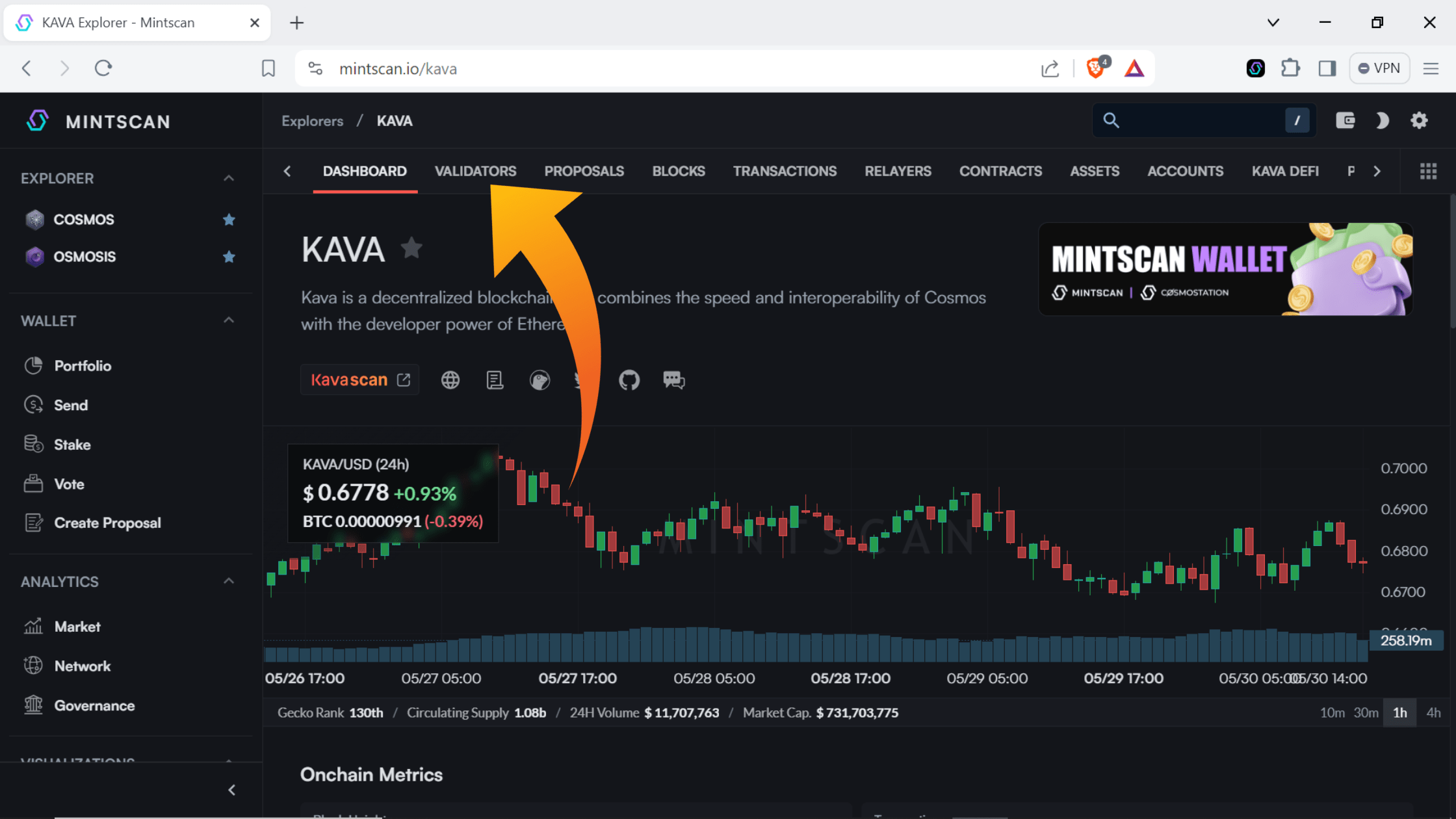
1. Click “Validators” on the Kava Mintscan page
2. Type “Atlas Staking” in the search box or scroll down the list of validators to find us
3. Click “Atlas Staking
4. Click “Connect wallet”
5. Click “Cosmostation”
6. Click “Confirm” in the wallet popup
7. Click “Stake”
8. Enter the number of KAVA tokens you would like to delegate and then click “Stake”
9. Click “Confirm
1. Go to mintscan.io/kava, click on the “Validators” tab. Or, navigate straight to the Atlas Staking Mintscan page.
2. Type “Atlas Staking” in the search box or scroll down the list of validators to find us.
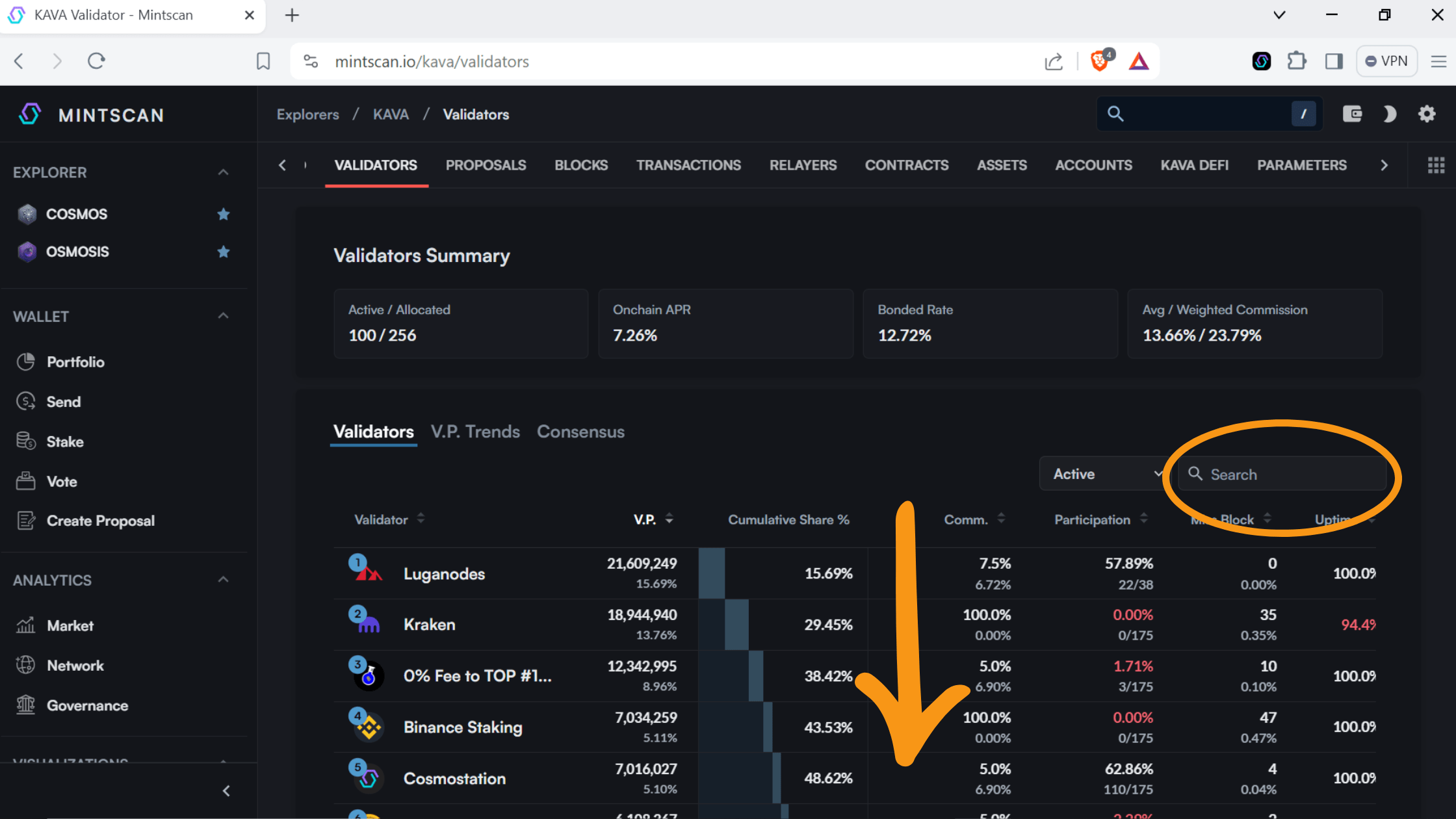
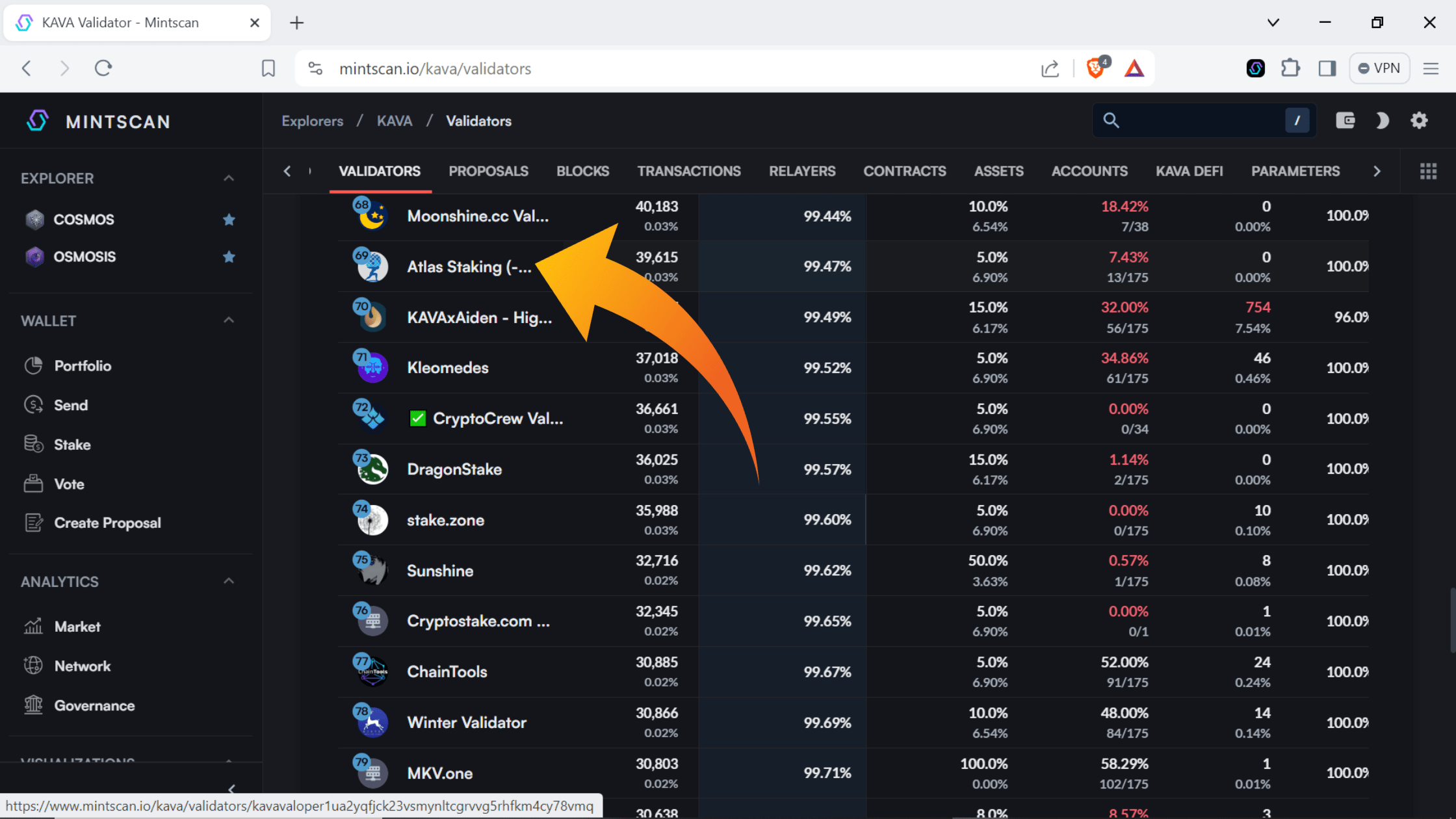
3. Click “Atlas Staking” to open up our Mintscan page
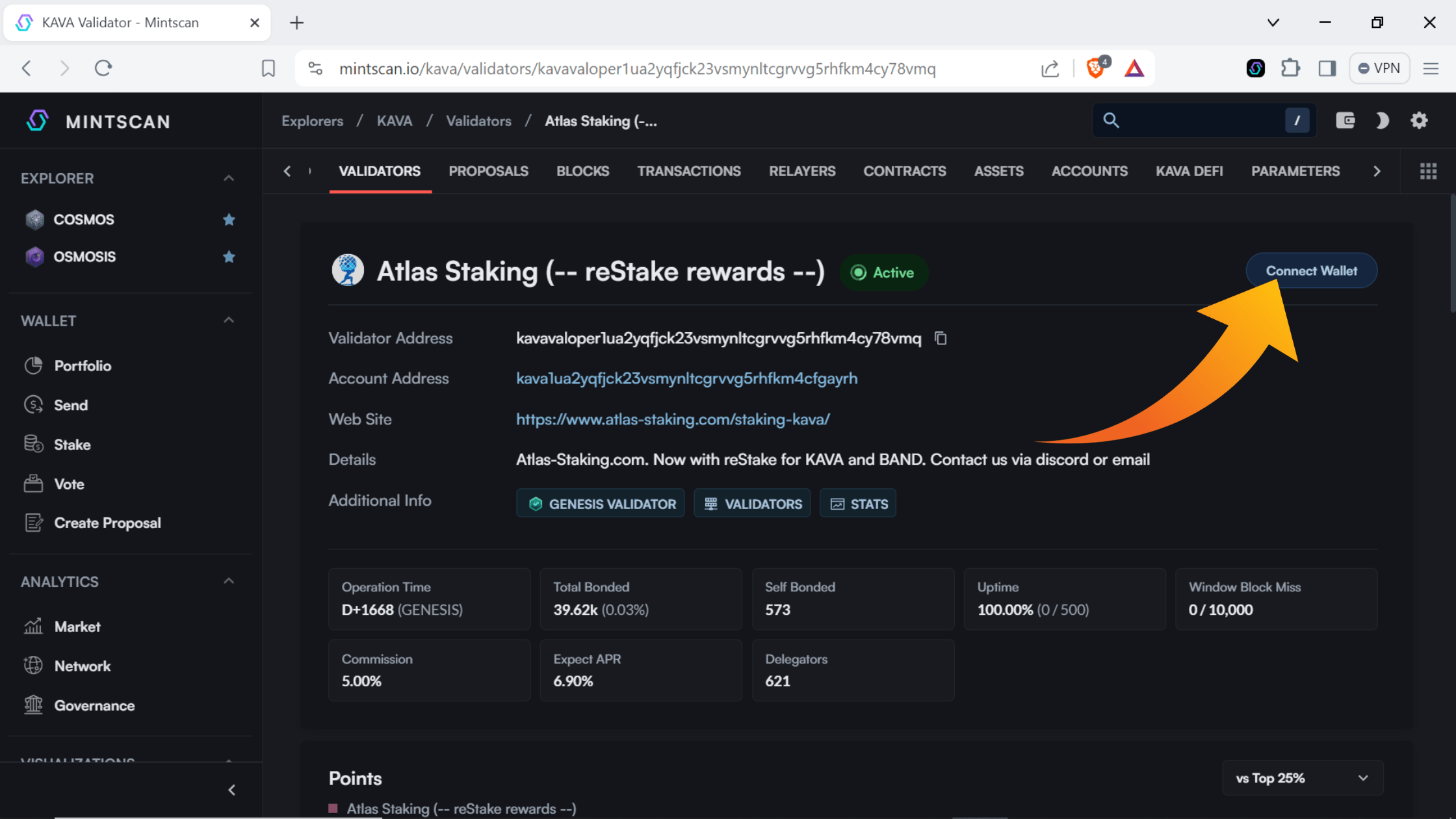
4. Click “Connect Wallet”
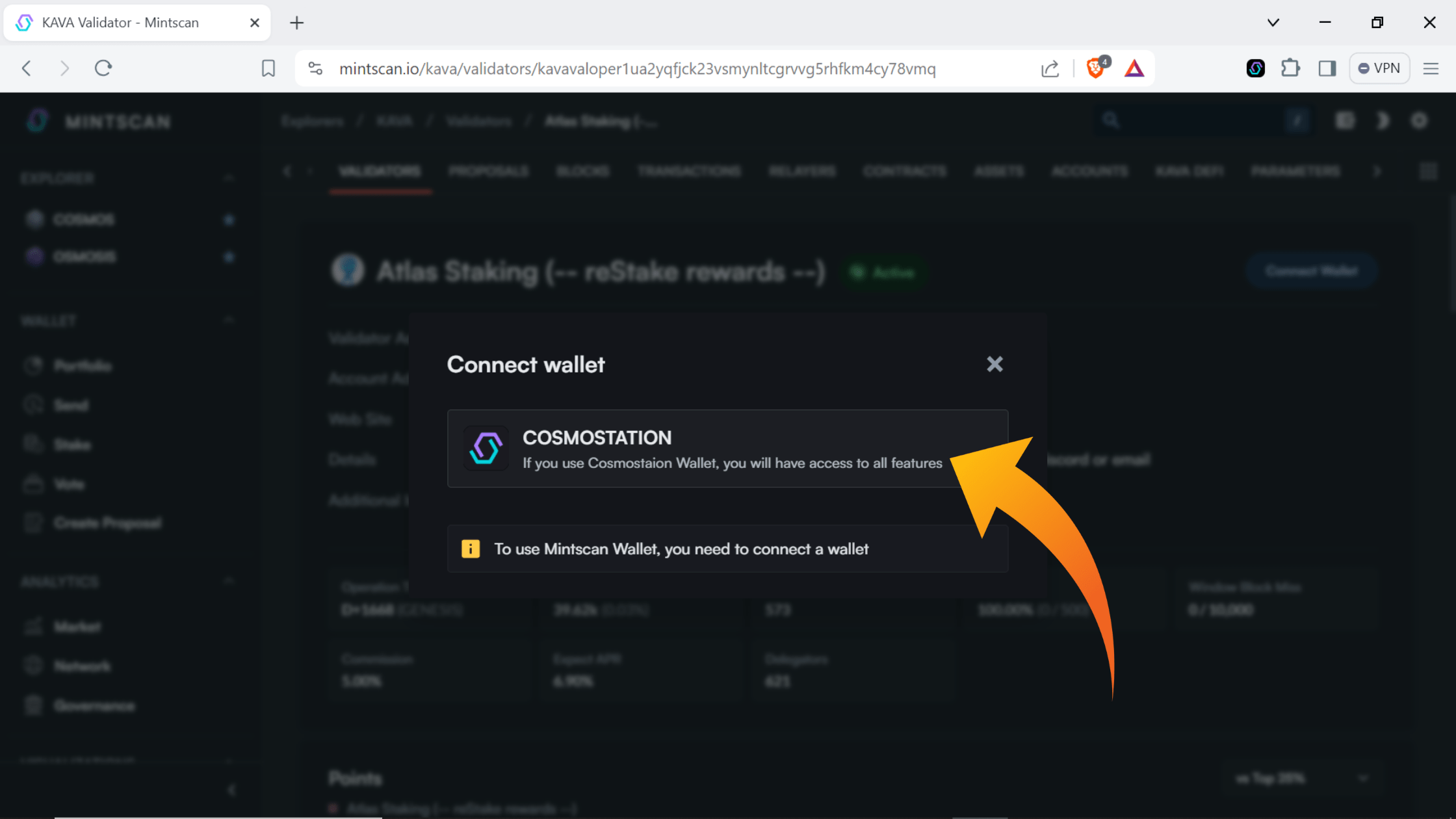
5. Make sure your browser extension is turned on and click “Cosmostation”
6. Click “Confirm” in the wallet popup.
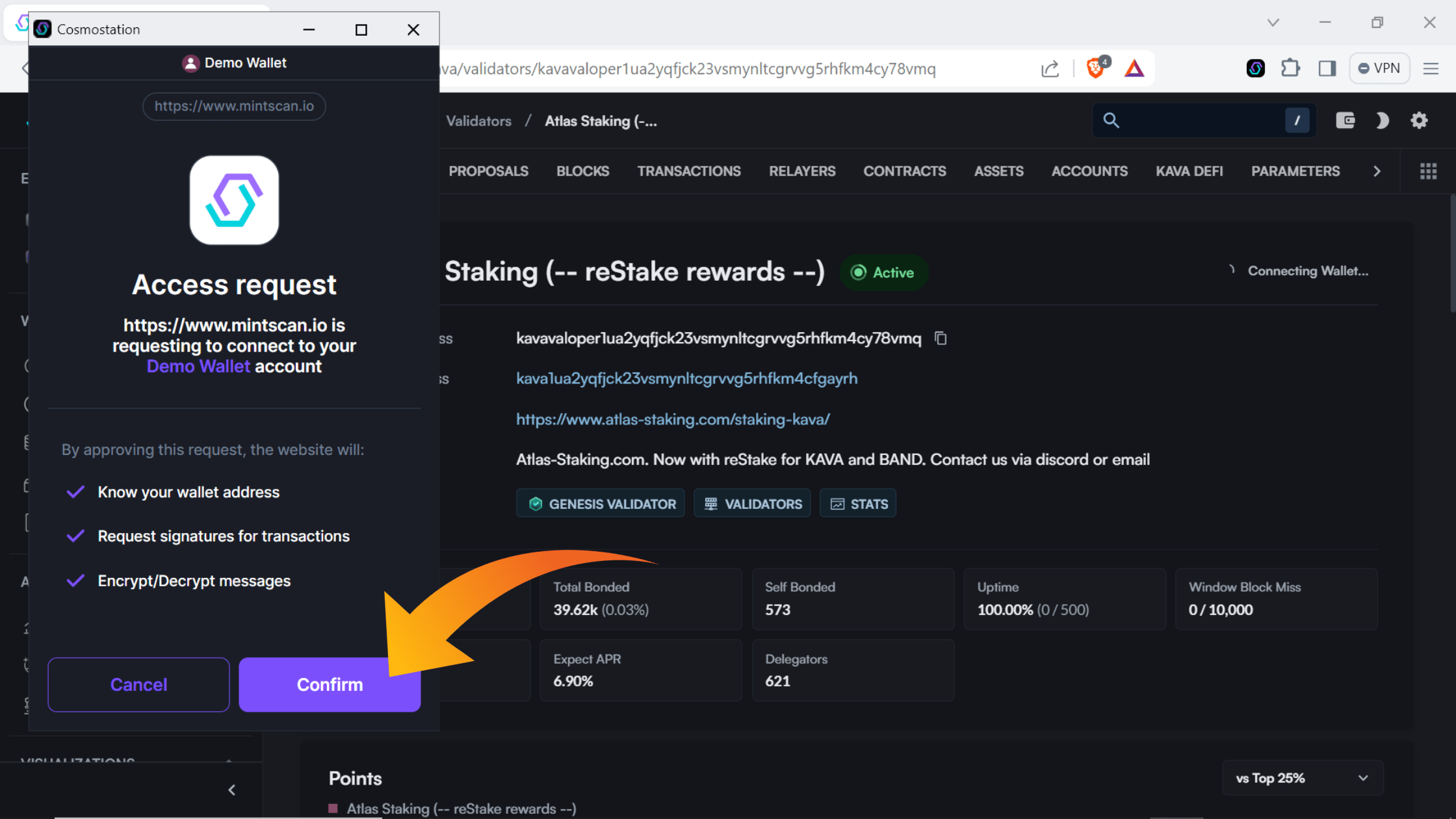
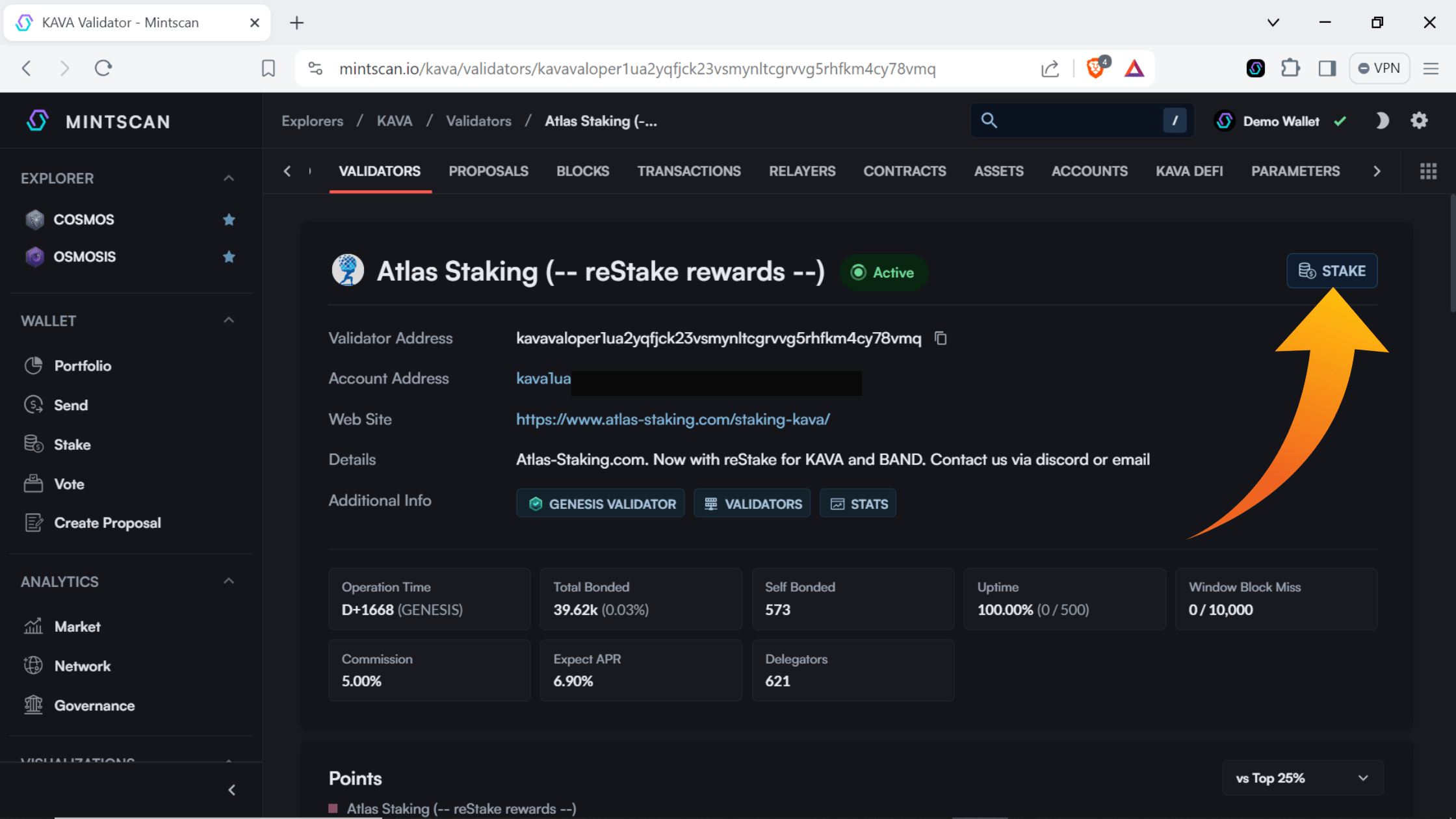
7. Click “Stake.”
8. Enter the number of KAVA tokens you would like to delegate and then click “Stake”
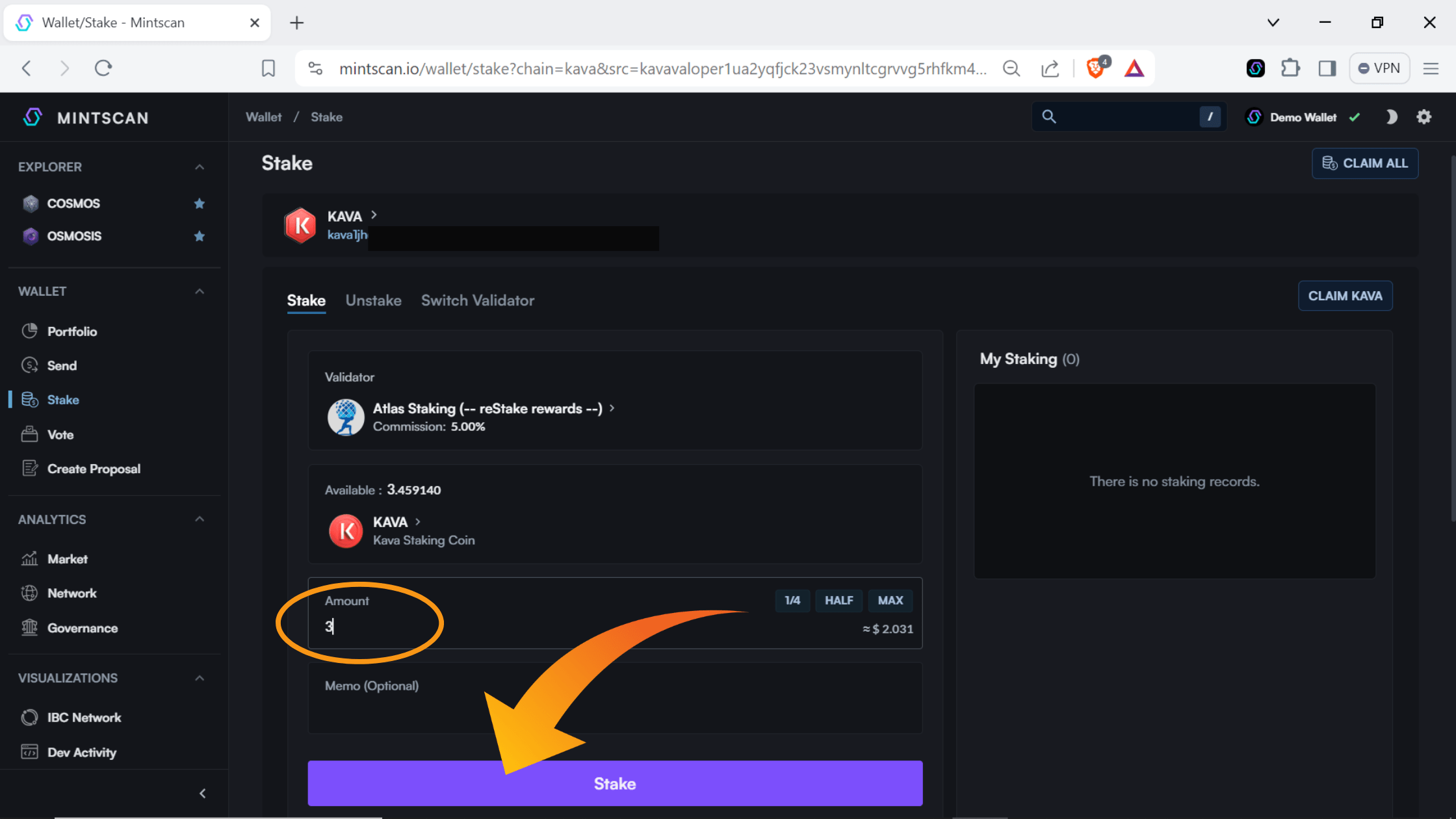
Never stake 100% of your tokens. Leave spare change to pay for future transactions.
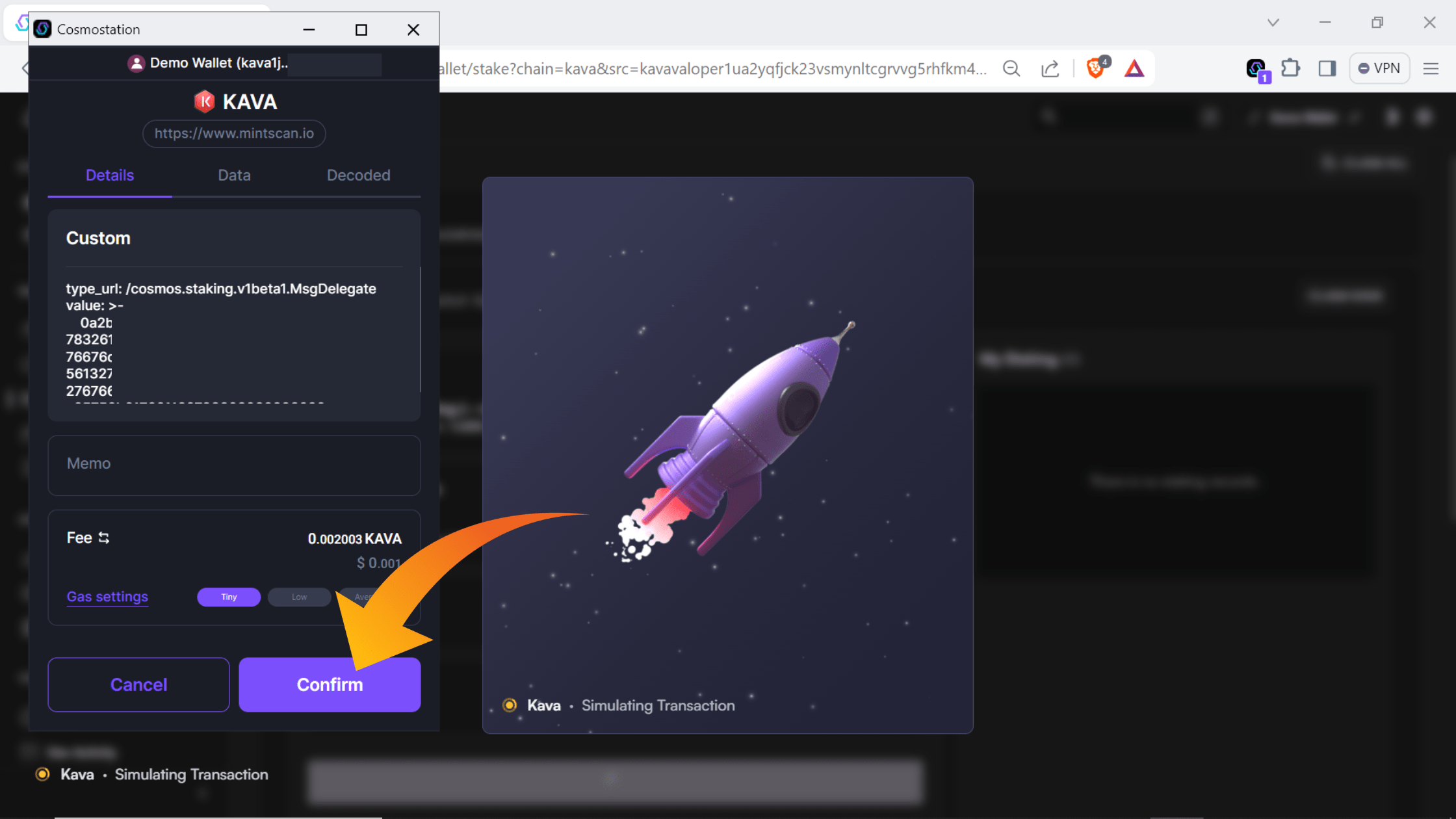
9. Click “Confirm” in the wallet popup
10. Click “Close” after the transaction is completed
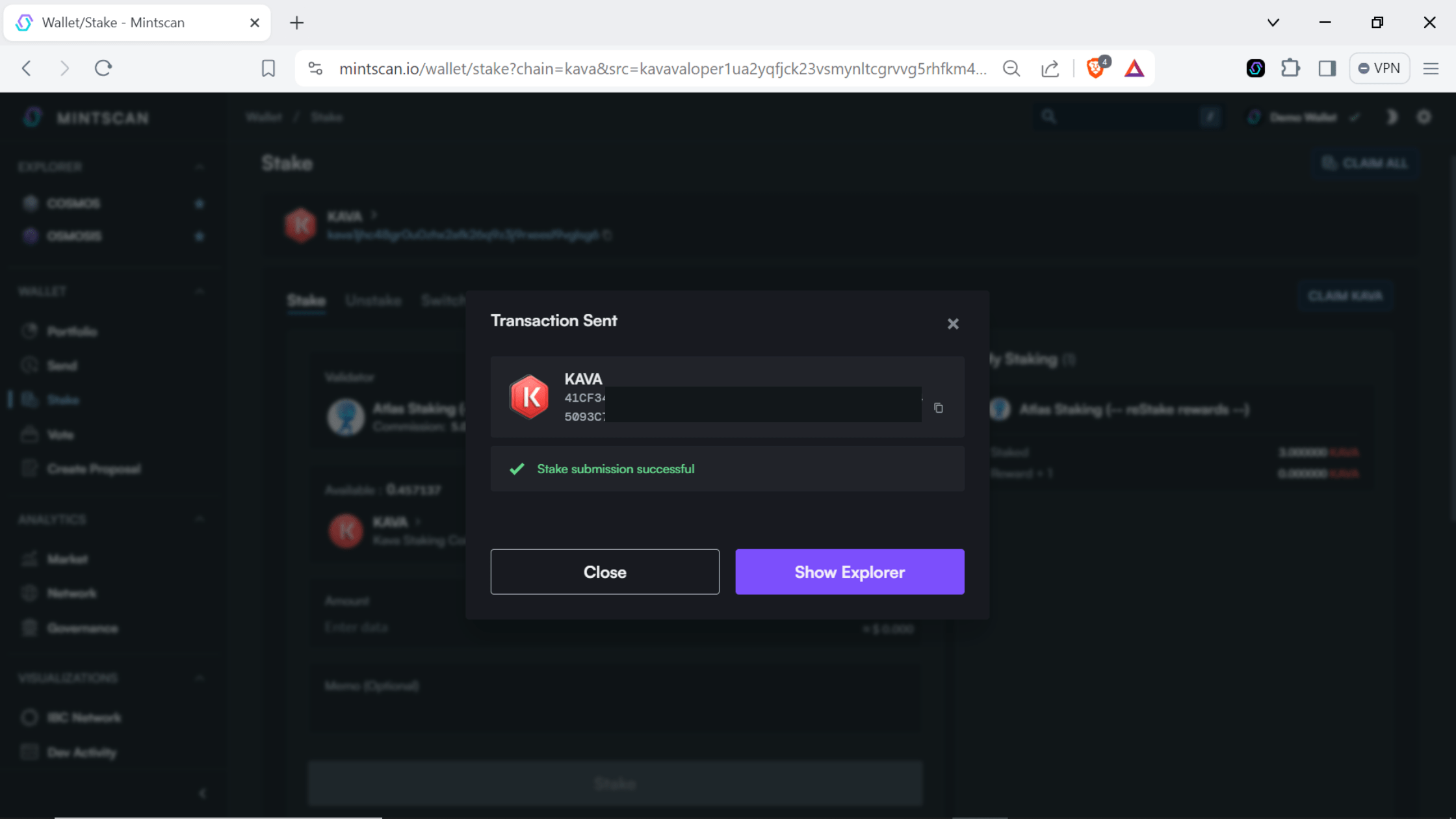
You will then see your staked position and you can click the browser extension icon to see it there too
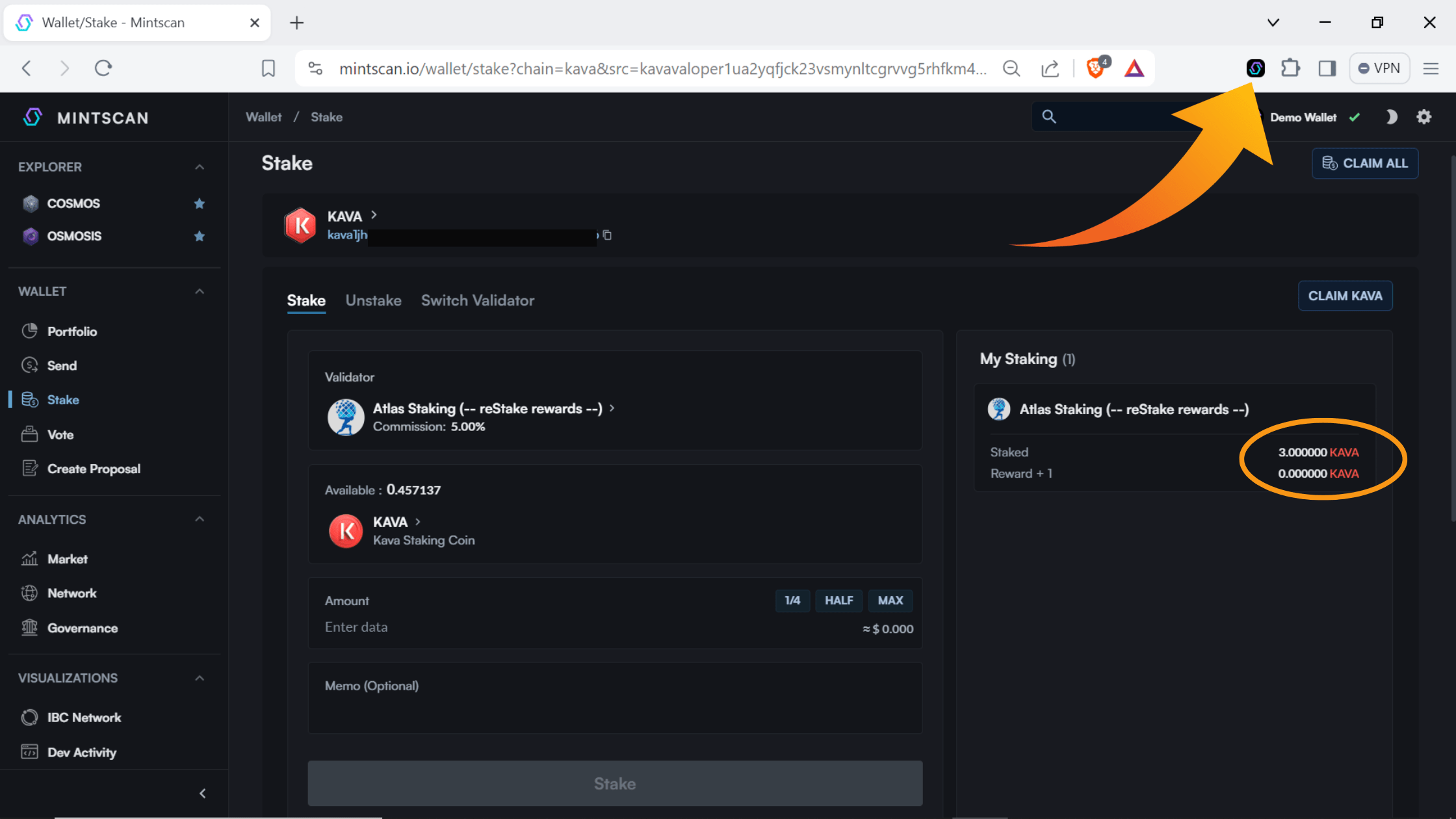
crypto taxes
U.S. residents must pay income tax on their staking rewards. They are taxed just like stock dividends. Even if you’re lucky enough to live in a country that doesn’t tax your crypto, using a portfolio management too, like Koinly is a great help.
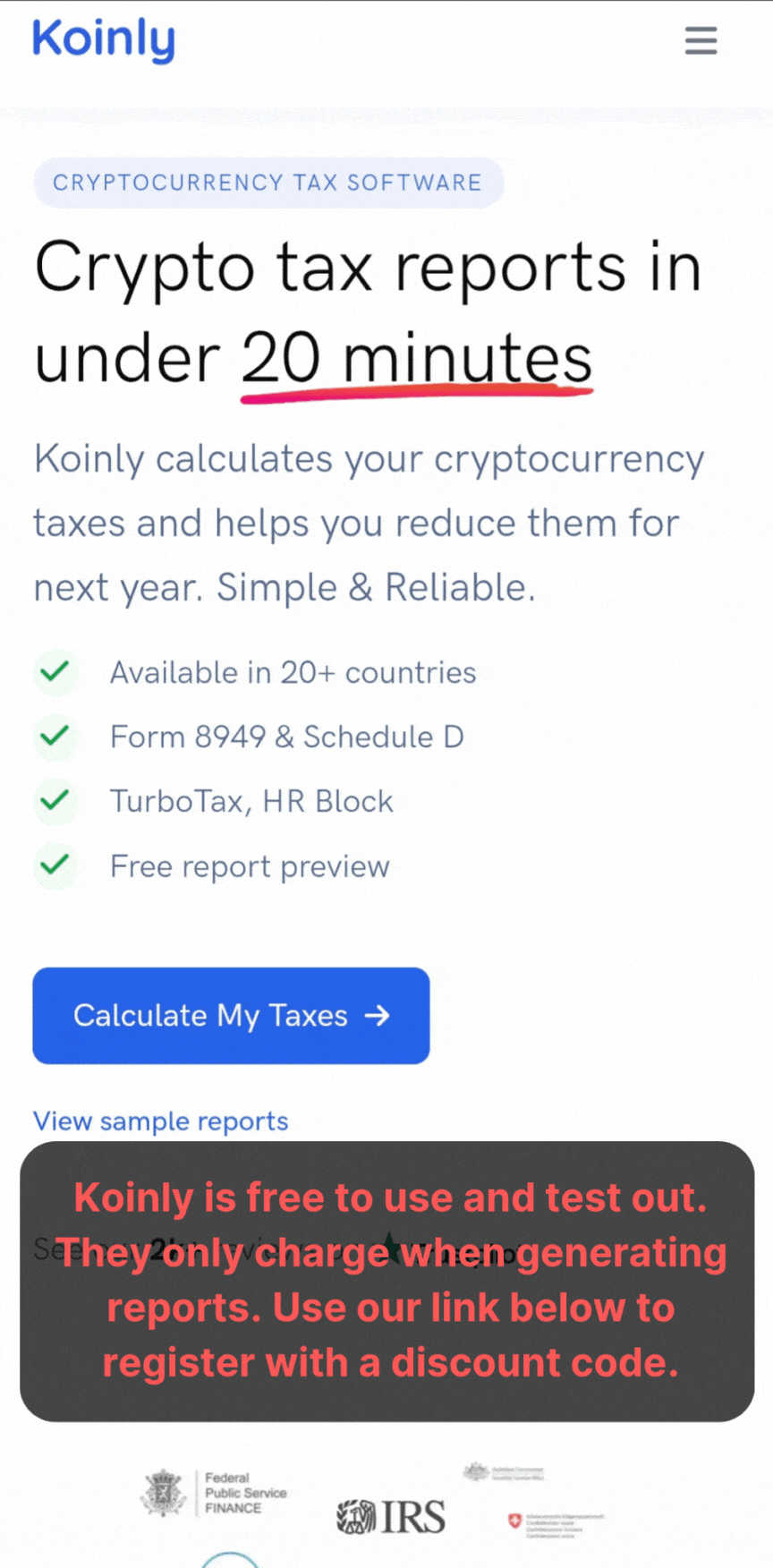
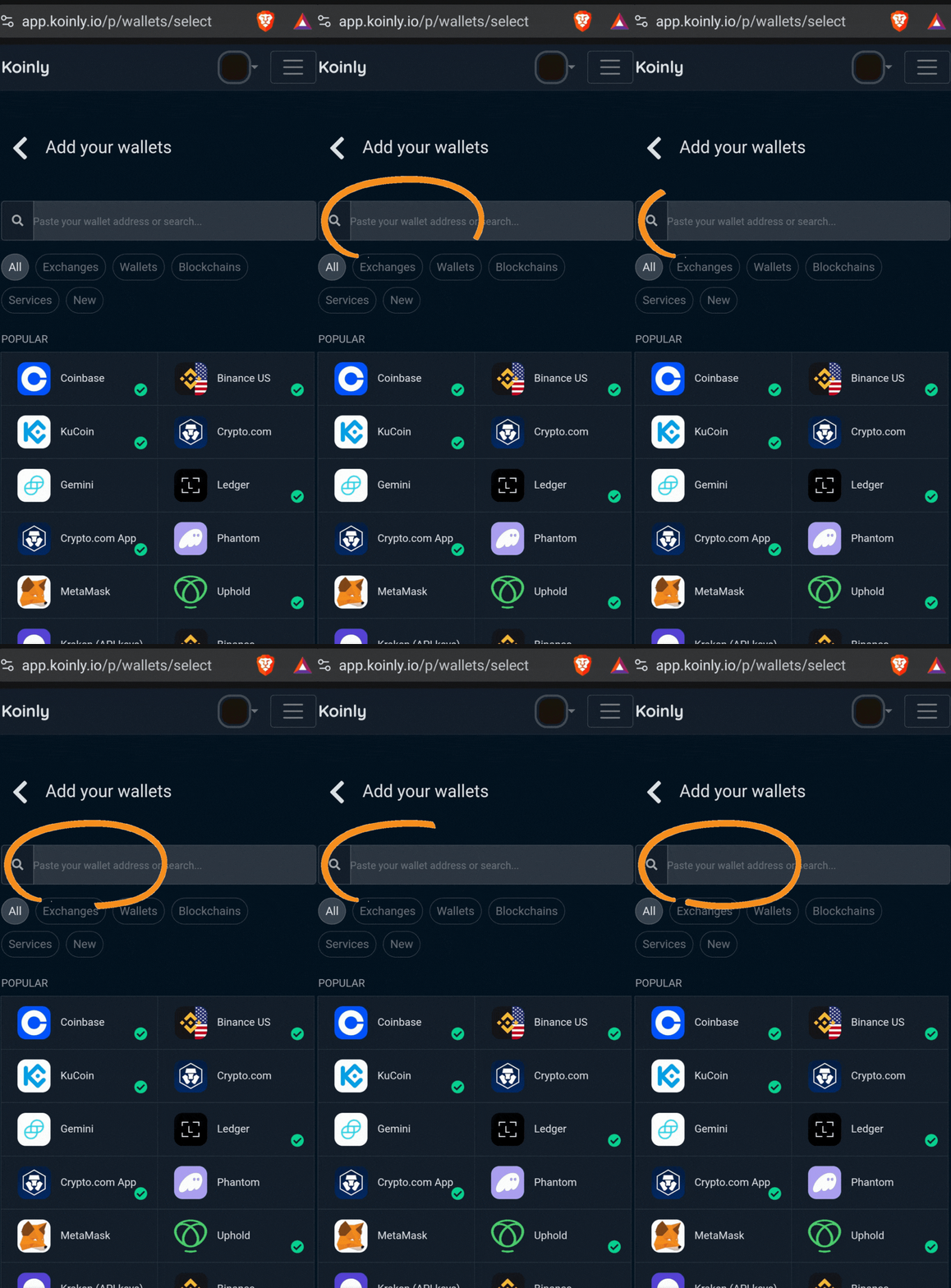
Plus, Koinly is free to test out and use! The platform only charges you to generate reports. Register using our discount link below so you’ve locked in a future discount, just in case.
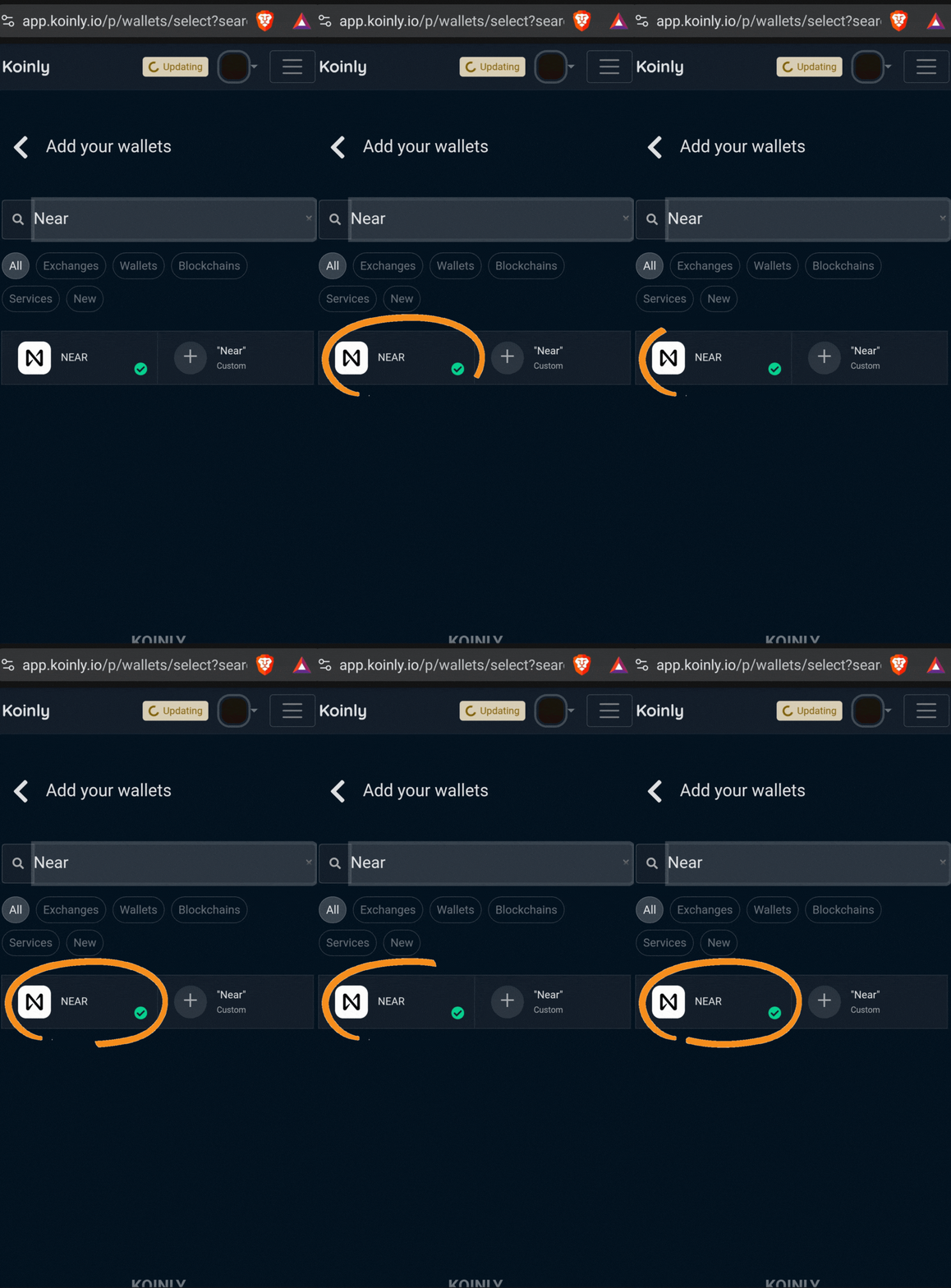
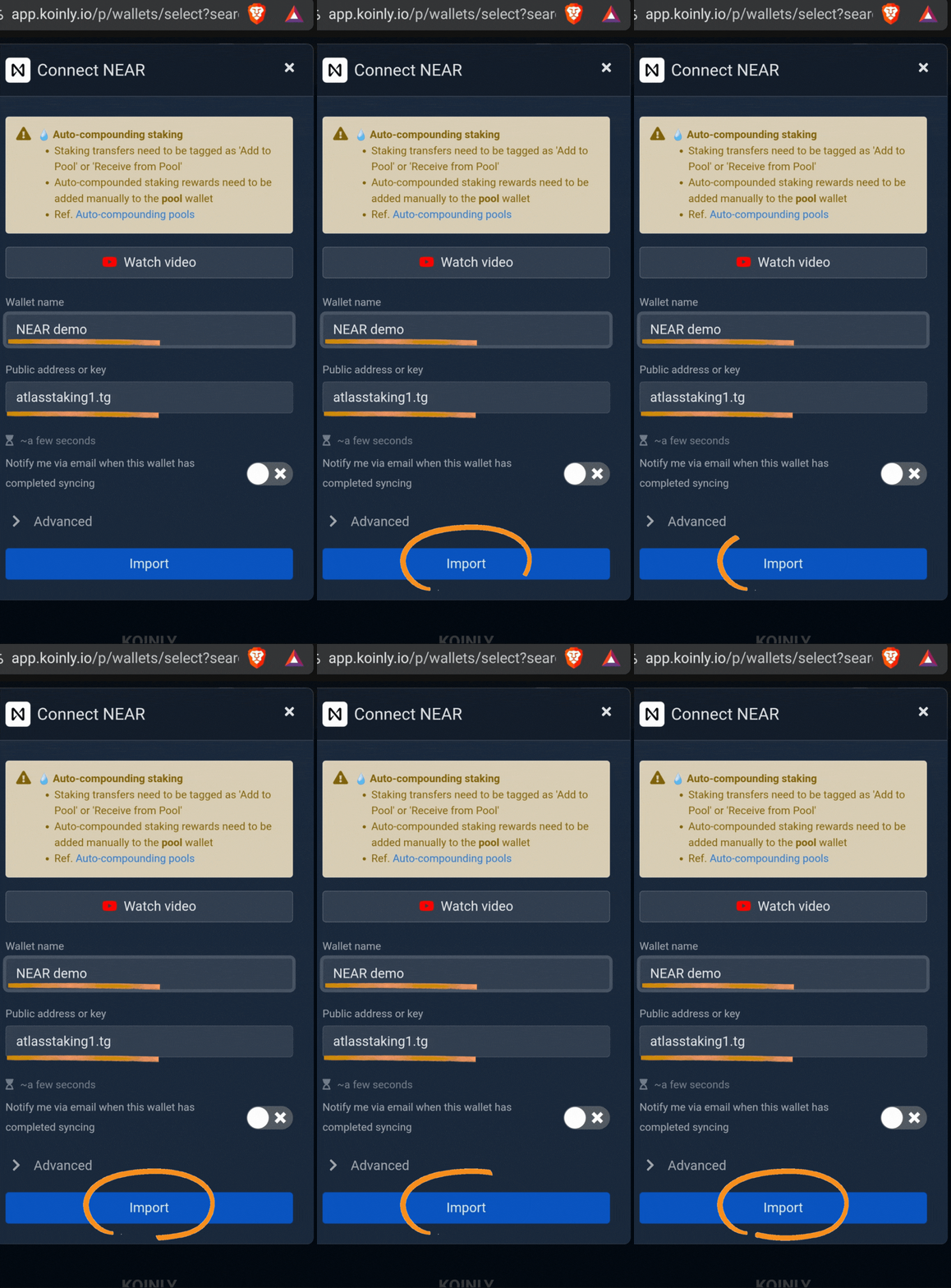
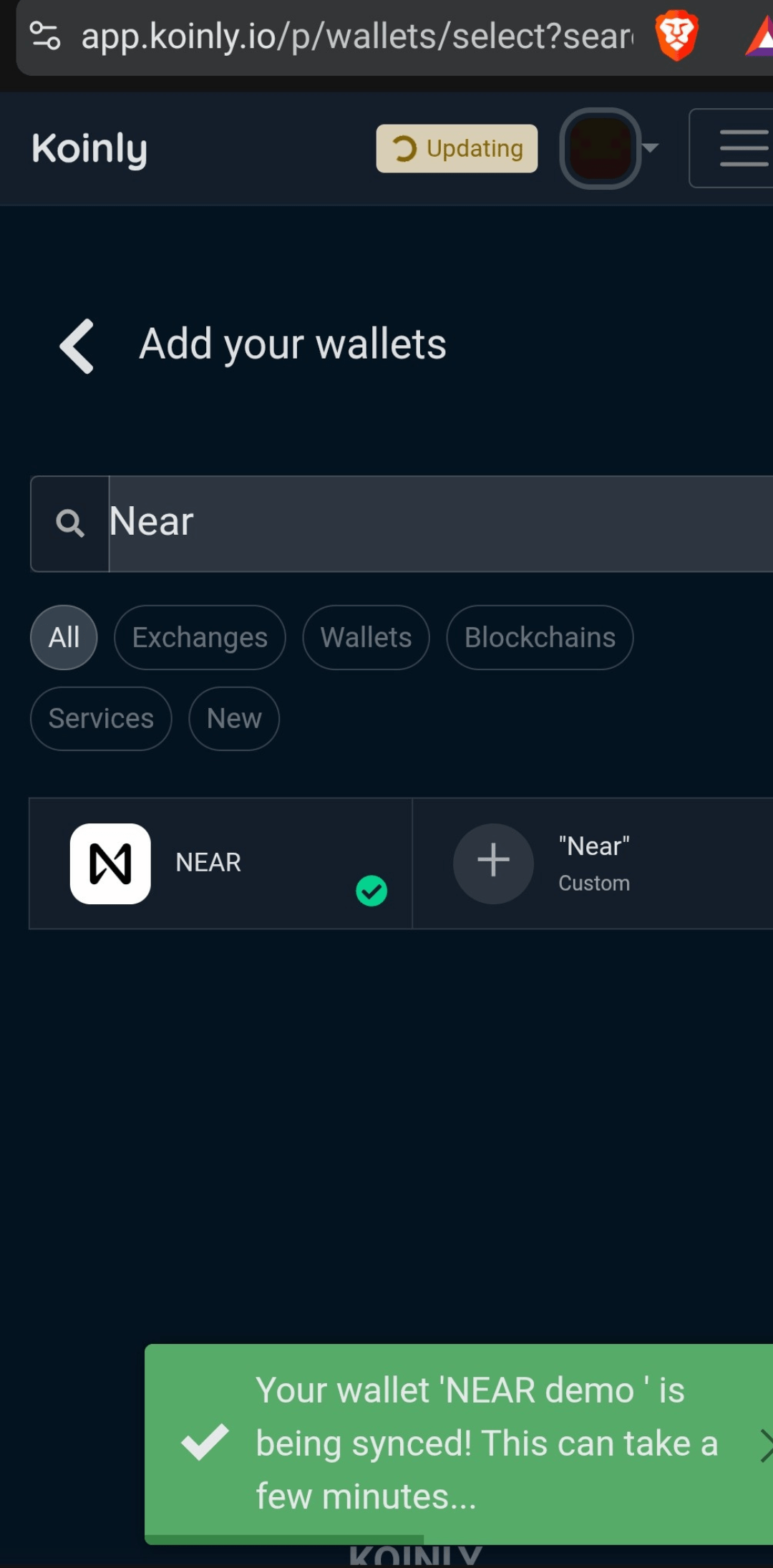
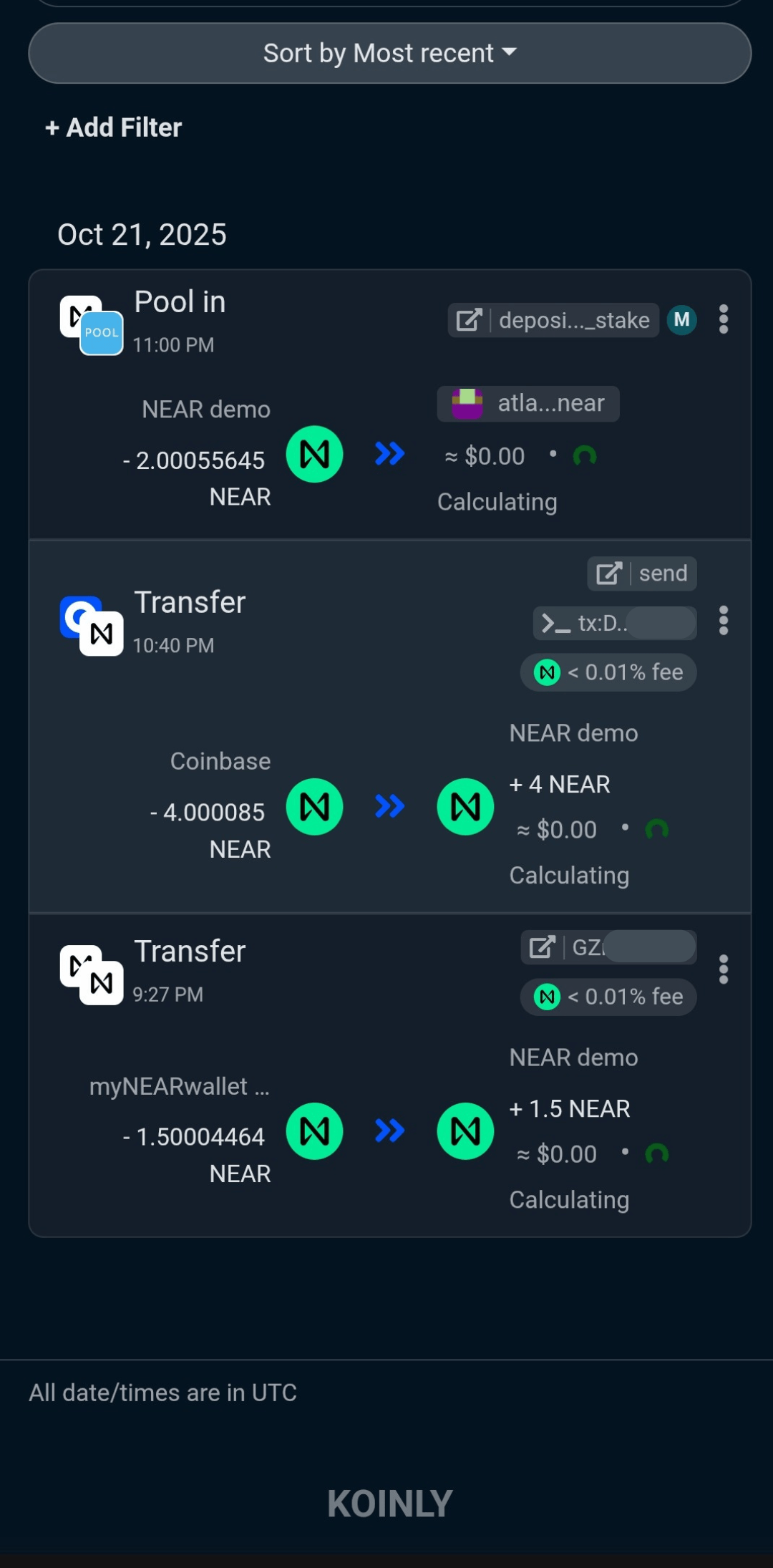
We hope this KAVA staking tutorial has shown you how easy it is to stake with Cosmostation. We sincerely appreciate you staking with us!
Frequently Asked Questions
KAVA staking is on the Kava blockchain, but EVM-based KAVA can still be staked by Cosmostation. There is nothing extra to do. Cosmostation wallet takes care of bridging chains for you.
Coinbase charges ridiculously high commission, so if you are comfortable taking self-custody that is what we encourage. Additionally, there is extra risk when staking with a centralized provider. Never forget FTX, Voyager, BlockFi and Celsius. Plus, CEX validators get huge quickly because it’s convenient, but then they dominate networks.
Yes, the Kava team is legit and so are the project and the token. When it comes to generating yield with your crypto, staking is the least aggressive strategy.
If you decide to unbond your stake, it takes 21 days to get your tokens back. The long unbonding period helps to create a stable staking supply, which increases network security.
Nothing we say is financial advice or a recommendation to buy or sell anything. Cryptocurrency is a highly speculative asset class. Staking crypto tokens carries additional risks, including but not limited to smart-contract exploitation, poor validator performance or slashing, token price volatility, loss or theft, lockup periods, and illiquidity. Past performance is not indicative of future results. Never invest more than you can afford to lose. Additionally, the information contained in our articles, social media posts, emails, and on our website is not intended as, and shall not be understood or construed as financial advice. We are not attorneys, accountants, or financial advisors, nor are we holding ourselves out to be. The information contained in our articles, social media posts, emails, and on our website is not a substitute for financial advice from a professional who is aware of the facts and circumstances of your individual situation. We have done our best to ensure that the information provided in our articles, social media posts, emails, and the resources on our website are accurate and provide valuable information. Regardless of anything to the contrary, nothing available in our articles, social media posts, website, or emails should be understood as a recommendation to buy or sell anything and make any investment or financial decisions without consulting with a financial professional to address your particular situation. Atlas Staking expressly recommends that you seek advice from a professional. Neither Atlas Staking nor any of its employees or owners shall be held liable or responsible for any errors or omissions in our articles, in our social media posts, in our emails, or on our website, or for any damage or financial losses you may suffer. The decisions you make belong to you and you only, so always Do Your Own Research.